What Is a Learning Management System? Definition, Benefits, and Real Examples
By Tushar Bhatnagar · Updated 10 Apr 2026

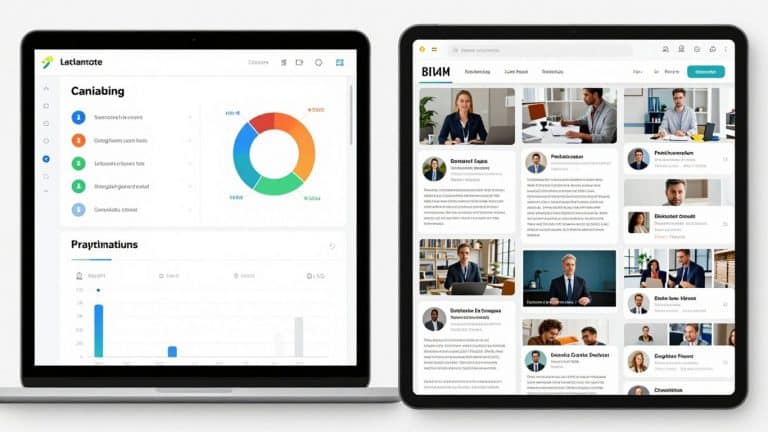
Learning Management Systems have become a regular part of how people teach and learn, whether it’s in schools or at work. Think of an LMS as a digital classroom or training room that brings everything together—lessons, assignments, feedback, and communication. Instead of juggling emails, paper handouts, and different apps, everything’s in one spot. Teachers and trainers can post materials, track progress, and talk to learners, while students or employees know exactly where to find what they need. It’s like having a home base for learning, making things simpler for everyone involved.
Key Takeaways
- A Learning Management System (LMS) is a digital platform that organizes and manages teaching, training, and communication all in one place.
- LMS platforms help keep lessons, assignments, and feedback organized for both teachers and learners.
- Using an LMS can make training and education more efficient by letting people access materials anytime, anywhere—even on their phones.
- Progress tracking and built-in analytics help teachers and trainers spot where learners are doing well or need extra help.
- There are many types of LMS platforms, so picking the right one depends on your needs—whether it’s for a school, a business, or remote learning.
Understanding Learning Management Systems

What Is a Learning Management System?
Think of a learning management system, or LMS, as the digital heart of a school’s operations. It’s a software application designed to help manage, track, and deliver educational courses and training programs. Essentially, it’s a central online space where all things learning-related come together. Instead of juggling multiple apps for assignments, resources, and communication, an LMS consolidates these functions into one place. This makes it easier for students to find what they need and for teachers to organize their lessons and keep tabs on student progress.
The Core Functionality of an LMS
At its core, an LMS does a few key things. It acts as a digital classroom, allowing educators to upload course materials like readings, videos, and links. They can create assignments, quizzes, and even entire learning paths that guide students through a topic step-by-step. For students, it’s a place to access these materials, submit their work, and see their grades. It also handles communication, letting teachers send out announcements or messages to students and parents.
Here’s a quick look at what an LMS typically handles:
- Content Delivery: Uploading and organizing course materials.
- Assignment Management: Creating, distributing, and collecting student work.
- Assessment Tools: Building quizzes, tests, and surveys.
- Progress Tracking: Monitoring student completion rates and scores.
- Communication Features: Sending messages and announcements.
LMS as a Centralized Digital Hub
Having an LMS means everything is organized and accessible from one spot. This consistency is a big deal. Students don’t have to hunt around for different links or files; they know where to go. Teachers can spend less time figuring out which tool to use for what and more time actually teaching. It creates a predictable environment for learning, whether that’s in a physical classroom, at home, or a mix of both. This unified approach helps reduce confusion and makes the whole learning process smoother for everyone involved.
The real value of an LMS isn’t just the technology itself, but how it’s used to support clear learning goals and make things easier for students and teachers. Without a plan for how to use it, even the best system can fall flat.
Key Benefits of Implementing Learning Management Systems
Learning management systems (LMS) have become a mainstay in education and training—for good reason. They streamline how courses are run, make tracking progress much easier, and generally cut down on confusion. Here’s a closer look at some stand-out benefits when you add an LMS to your organization or classroom.
Enhanced Training Efficiency and Management
Switching to an LMS saves both time and resources. Course materials, assignments, and communication all happen in one place, so there’s less wasted time sorting through emails or juggling multiple apps. Here’s what this looks like in practice:
- Employees or students can access lessons whenever they need, cutting out the need for everyone to gather in one spot.
- Training sessions can be repeated or revisited without scheduling conflicts or room bookings.
- Teachers and trainers can reuse course templates, speeding up setup for new terms or hiring rounds.
All the repetitive stuff—like grading quizzes or sending reminders—gets automated, so instructors spend less time on paperwork and more time with actual teaching or support.
Centralized Learning and Consistent Delivery
One thing people really notice with an LMS is that everything feels more organized. Everyone gets the same info, regardless of where they’re sitting.
- Course content, due dates, and feedback are all together in one spot.
- Students and employees have less trouble finding what they need—no more lost handouts or buried email threads.
- Families and managers can see progress, upcoming work, and even feedback, making communication clearer.
| Centralization Benefit | Classroom | Workplace |
|---|---|---|
| Single content hub | Yes | Yes |
| Easy feedback access | Yes | Yes |
| Consistent experience | Yes | Yes |
Improved Learner Progress Tracking and Analytics
With an LMS, tracking who’s doing well (and who might be falling behind) is simple. The platform collects data automatically, which gives instructors and managers a much clearer picture. Some of the ways this helps:
- See exactly who’s finished which lessons, and who hasn’t even started.
- Get reports on quiz scores, assignment completion rates, and engagement levels.
- Spot trends quickly—for example, if a lot of people are stuck on the same topic, the material might need to be rewritten or taught differently.
Fostering a Continuous Learning Culture
The best thing about an LMS is it keeps learning going—it’s always open. There are reminders for new skills, recommendations for what to learn next, and ways for people to move at their own pace. This kind of setup makes it natural to keep picking up new knowledge and skills.
- Regularly updated courses keep everyone in the loop, whether in compliance or upskilling.
- Learners get nudges about new topics and can move on only when they’re ready.
- Teachers and managers don’t need to start from scratch with every new hire or class—just update as things change.
With always-available courses and simple tracking, organizations and schools can make steady learning the default, not something extra.
How Learning Management Systems Operate
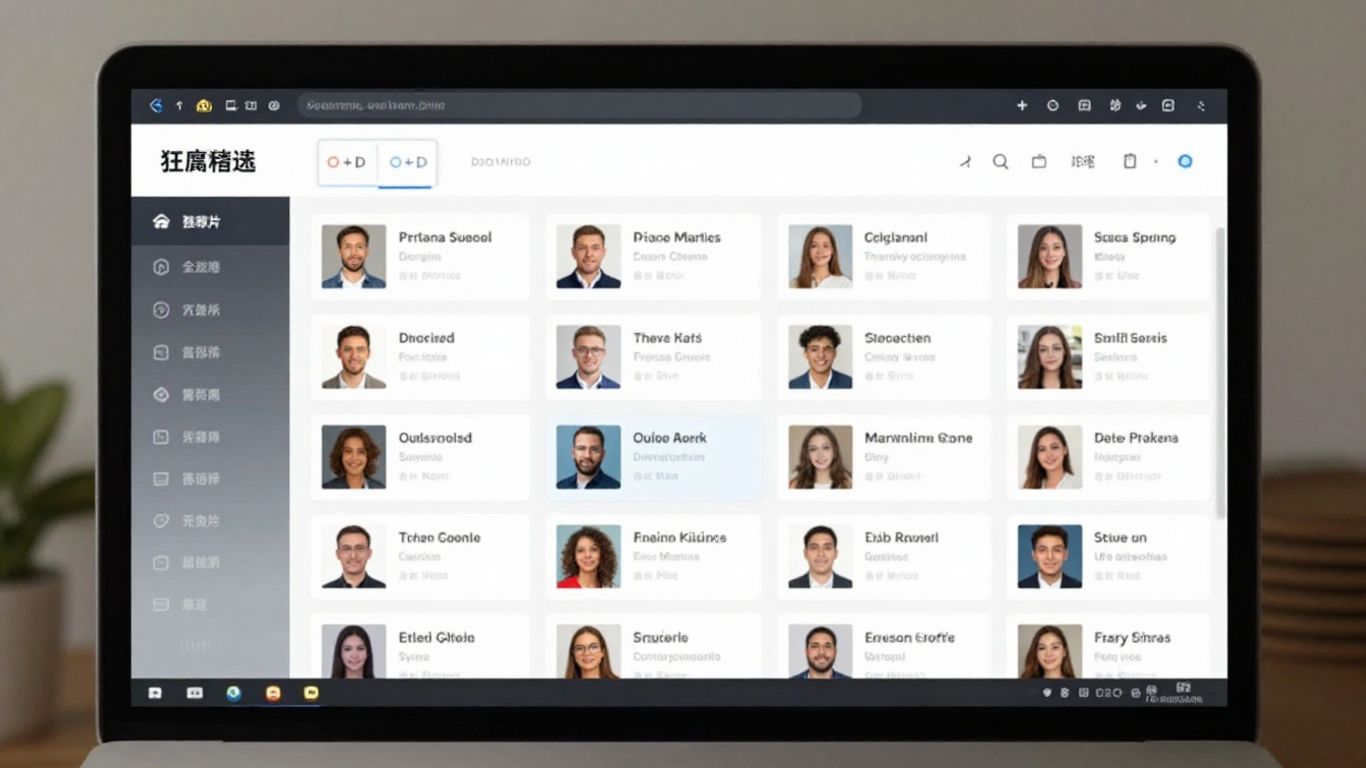
So, how does all this magic happen? At its core, a learning management system (LMS) is a digital platform designed to make teaching and learning more organized and accessible. Think of it as a central online space where everything related to a course or training program lives. It’s not just about dumping files; it’s about creating a structured environment for learning.
The Role of AI and Smart Technologies
Modern LMS platforms are getting pretty smart, thanks to artificial intelligence (AI) and other advanced tech. These systems can do more than just store information. They can actually help personalize the learning experience. For instance, AI can look at a learner’s past performance and suggest specific courses or resources that might help them improve in certain areas. It can also recommend mentors or even help build dynamic teams for projects. This kind of intelligent guidance can really speed up skill development and make learning feel more relevant to individual needs.
Intuitive Interfaces and Mobile Accessibility
Nobody wants to fight with complicated software, right? That’s why a good LMS usually has a user-friendly interface. It’s designed to be easy to figure out, even if you’re not a tech whiz. This makes it simpler for people to jump in and start learning without a steep learning curve. Plus, most systems today are mobile-friendly. This means you can access your courses, assignments, and learning materials from your phone or tablet, whether you’re on the bus, at home, or anywhere else. This flexibility is a big deal for keeping learners engaged.
Comprehensive Data Tracking and Reporting
One of the biggest advantages of an LMS is its ability to track progress. It keeps a record of who has completed what, how they performed on quizzes or assignments, and their overall engagement. This data is super helpful for instructors or managers. They can see at a glance who might be struggling and needs extra support, or which parts of the training are working really well. This information allows for adjustments to be made to the learning content or delivery methods. It’s all about making the learning process more effective based on real information.
The underlying structure of an LMS allows for a consistent approach to education or training. It provides a digital backbone that supports the delivery of content, the assessment of learning, and the communication between instructors and learners. This centralization reduces the chaos of using multiple disconnected tools and creates a more predictable learning environment for everyone involved.
Here’s a quick look at what an LMS typically tracks:
- Learner Progress: Which modules have been completed?
- Assessment Scores: How did learners perform on tests and quizzes?
- Activity Logs: When did learners log in and engage with content?
- Completion Rates: What percentage of the course or training has been finished?
- Feedback: Any comments or input provided by learners.
Diverse Applications of Learning Management Systems
Learning management systems (LMS) are used way beyond just colleges or big companies. They have made their way into schools, offices, distant learning setups, and even government agencies. Below, you’ll see how LMS platforms impact different areas.
Supporting K-12 Educational Structures
At the K-12 level, LMS tools act like digital classrooms that go wherever students go. Teachers use these platforms to:
- Post assignments and lessons in one easy-to-find place
- Give and collect student work, providing timely feedback
- Communicate with students and their families without relying on tons of separate apps
- Monitor progress and participation so no one falls behind
For schools, this setup means more consistency and less confusion. Every teacher and student knows where to look for materials, and parents stay informed too. It’s not perfect—sometimes getting everyone up to speed with the system is tricky—but once it’s running, it really streamlines a lot.
Driving Corporate Training and Development
In offices and organizations, LMS platforms play a totally different but just as important role:
- Training new hires and keeping current staff updated with company policies
- Hosting compliance courses, certifications, and professional development modules
- Tracking who has finished what training for easy reporting
Many industries rely on LMS platforms for smooth onboarding and ongoing education. For example, public institutions and government offices lean on an LMS for their mandatory training and compliance needs, making sure everyone is up-to-date and able to access resources quickly.
Facilitating Remote and Hybrid Learning
When learning and working situations are in flux, LMS solutions step in. They make it possible to:
- Access live or pre-recorded classes from anywhere
- Allow group work, discussions, and quizzes online
- Keep track of everything—assignments, grades, announcements—all in one place
This flexibility isn’t just great during emergencies. It helps students or workers who travel, folks with unusual schedules, or anyone who prefers learning in different environments.
LMS platforms have changed how schools and businesses approach training, making everything more organized and accessible—whether you’re sitting in a classroom or working from your kitchen. But getting started can be bumpy, so patience and support are key.
| Sector | Main LMS Uses |
|---|---|
| K-12 | Lessons, assignments, family communication |
| Corporate | Onboarding, compliance, certifications |
| Higher Ed | Course materials, assessments, tracking |
| Government | Policy updates, professional development |
In the end, LMS systems fit different needs depending on the place and purpose, but the goal’s the same: make learning and training accessible, trackable, and a little less stressful for everyone.
Exploring Different Types of Learning Management Systems
So, you’re looking into Learning Management Systems (LMS) and realizing there isn’t just one kind, huh? It’s a bit like looking at cars – you’ve got your basic sedans, your rugged SUVs, and your speedy sports cars. Each is built for a different purpose, and LMS platforms are no different. Understanding these distinctions is key to picking the right one for your specific needs, whether that’s for a school, a business, or something else entirely.
Cloud-Based vs. Self-Hosted Solutions
This is probably the biggest split you’ll see. Think of cloud-based (or SaaS) LMS as renting a fully furnished apartment. The provider handles all the maintenance, updates, and infrastructure. You pay a subscription fee, and you’re good to go, usually with quick setup and easy scaling. It’s convenient, and often more budget-friendly upfront. However, you might have less control over the nitty-gritty details and customization options can sometimes be limited.
On the flip side, a self-hosted (or on-premise) LMS is like owning your own house. You have total control over everything – your data, your system, your customizations. This is great if you have very specific security or integration needs. But, owning comes with responsibilities. You’ll need to buy the hardware, manage all the updates and maintenance yourself, and likely have an IT team on standby. It’s a bigger upfront investment and requires more technical know-how.
Open Source and Mobile-Optimized Platforms
Open-source LMS platforms are kind of like community gardens. The core code is free and available for anyone to use, modify, and build upon. This offers incredible flexibility and customization potential, often at a lower cost if you have the technical chops to manage it. You can really tailor it to your exact needs. The catch? You’re often more on your own when it comes to support and troubleshooting. It requires a certain level of technical skill to get it up and running smoothly.
Then there are mobile-optimized platforms. This isn’t always a separate type of LMS, but rather a feature that many modern LMSs offer. It means the system is designed to work really well on smartphones and tablets. This is super handy for learning on the go, fitting in quick lessons during a commute, or accessing materials from anywhere. Many cloud-based and even some open-source options now come with slick mobile apps or responsive designs.
Purpose-Driven LMS Categorization
Sometimes, LMSs are categorized less by their technical setup and more by what they’re designed to do. For instance, some are built primarily as simple classroom organizers for K-12 schools, focusing on assignment management and basic communication. Others are designed for entire districts, aiming for consistency and centralized administration across many schools.
There are also LMSs that focus heavily on tracking student progress and growth over time, often used in educational settings where demonstrating development is key. Conversely, some are strictly standards-driven, organizing content around specific learning objectives and mastery goals. In the corporate world, you’ll find LMSs geared towards specific training needs, like compliance, onboarding, or upskilling employees, often incorporating microlearning modules for quick, digestible content delivery.
Choosing the right LMS really boils down to understanding your own requirements. What’s your budget? How much technical support do you have? What specific features are non-negotiable? Answering these questions will point you toward the right category, and then you can start looking at specific platforms. It’s not a one-size-fits-all situation, and that’s a good thing!
Real-World Examples and Strategic Implementation
LMS Platforms for Educational Institutions
Schools and universities look for LMS platforms that can keep everything for students, teachers, and administrators in one spot. A good example is Canvas, which lets teachers post assignments, give feedback, and track progress over time. Blackboard is another system that is widely used for managing grades, sharing resources, and sending announcements. Moodle, an open-source favorite, is popular for its flexibility and cost savings, especially for large universities.
Key features educational institutions usually prioritize:
- Assignment submission and auto-grading
- Discussion boards and messaging for student interaction
- Integration with gradebooks and other school systems
- Consistent tracking of student attendance and participation
Having one digital home base for students and teachers helps cut down on confusion and lets everyone focus more on learning instead of figuring out where to find things.
LMS Solutions for Business Upskilling
Companies use LMS platforms to train new hires, keep staff certified, and help employees pick up new skills. Docebo and SAP Litmos are two well-known options in the business world. They offer tools like self-enrollment, live virtual sessions, and detailed progress reporting. This makes the whole training process smoother and helps companies track who needs what kind of training.
Here’s a quick comparison of results some organizations have seen:
| Use Case | Platform | Notable Results |
|---|---|---|
| Customer Training | Docebo | Saved $1.5M in 3 years, reached more users |
| Onboarding | Docebo | Course completion up by 40%, costs down 20% |
| Sales Training | Docebo | 85% more course completions |
Typical business LMS features:
- Automated reminders for compliance and due dates
- Reporting dashboards for managers
- Mobile access so employees can train on the go
- eCommerce features for paid courses
Choosing the Right LMS for Your Needs
Picking the right LMS isn’t about grabbing the first system you spot. It helps to make a list of what you actually need versus what’s just nice to have.
- List your must-have features (e.g., mobile access, analytics, integrations).
- Compare costs, taking into account long-term maintenance and support.
- Pilot test the system with a small group to see how it works in real life.
- Ask about support and training—you’ll want help when you run into snags.
- Get feedback from actual users before rolling it out to everyone.
Even the fanciest LMS won’t hit the mark if it doesn’t fit the way people work or learn in your organization. Taking time to map your needs to what different platforms offer will save trouble later.
Conclusion
So, that’s the gist of what a learning management system is all about. It’s basically a digital home base for teaching, learning, and keeping everything organized—whether you’re in a school or a workplace. Teachers and trainers can share lessons, track progress, and talk with students or employees, all in one spot. For students or workers, it means you know where to find your assignments, feedback, and resources, without having to dig through a bunch of different apps or emails. Sure, picking the right LMS takes some thought, and it can take a bit to get everyone used to it. But when it works, it really helps keep things running smoothly and makes learning more flexible. At the end of the day, an LMS is just a tool, but it can make a big difference in how people learn and connect—no matter where they are.
Frequently Asked Questions
What is a learning management system (LMS)?
A learning management system, or LMS, is an online platform that helps organize and manage lessons, assignments, and communication for schools or businesses. It acts like a digital classroom where teachers or trainers post materials and students or employees complete their work and check their progress.
How does an LMS help teachers and students?
An LMS puts everything in one place. Teachers can share lessons, give feedback, and talk to students and families. Students can find their assignments, turn in work, and see their grades. This makes learning more organized and less confusing.
What are the main benefits of using an LMS?
Some big benefits are faster and easier training, having all learning in one spot, better tracking of how people are doing, and helping everyone keep learning new things. It also makes it simple to keep lessons the same for everyone.
Can an LMS be used for both schools and businesses?
Yes! Schools use LMS platforms to teach and organize classes. Businesses use them to train workers, track skills, and make sure everyone learns what they need to know. LMS systems can be set up for different needs.
What types of LMS platforms are there?
There are cloud-based LMS platforms that you can access from anywhere, and self-hosted ones that run on your own servers. Some are open source and free to use, while others are made for mobile devices. The right choice depends on what your school or company needs.
How do I choose the best LMS for my school or company?
Think about what you need most: Do you want something easy to use, good for mobile, or with lots of features? Make sure it fits your learning goals, supports your size, and is easy for everyone to use. Try a few options and see which one works best for your team.