Employee training
Onboarding, policies and safety refreshers that stay consistent across every team.
Pairs well with AI Dubbing
Pick one of 120+ lifelike AI avatars or use your own Digital Twin, paste a script, and get a studio-quality video in minutes. No camera, no lighting, no retakes.
PRESENTER
LANGUAGE
Real screens from Video with Avatar inside vidBoard, from the first click to the finished file.
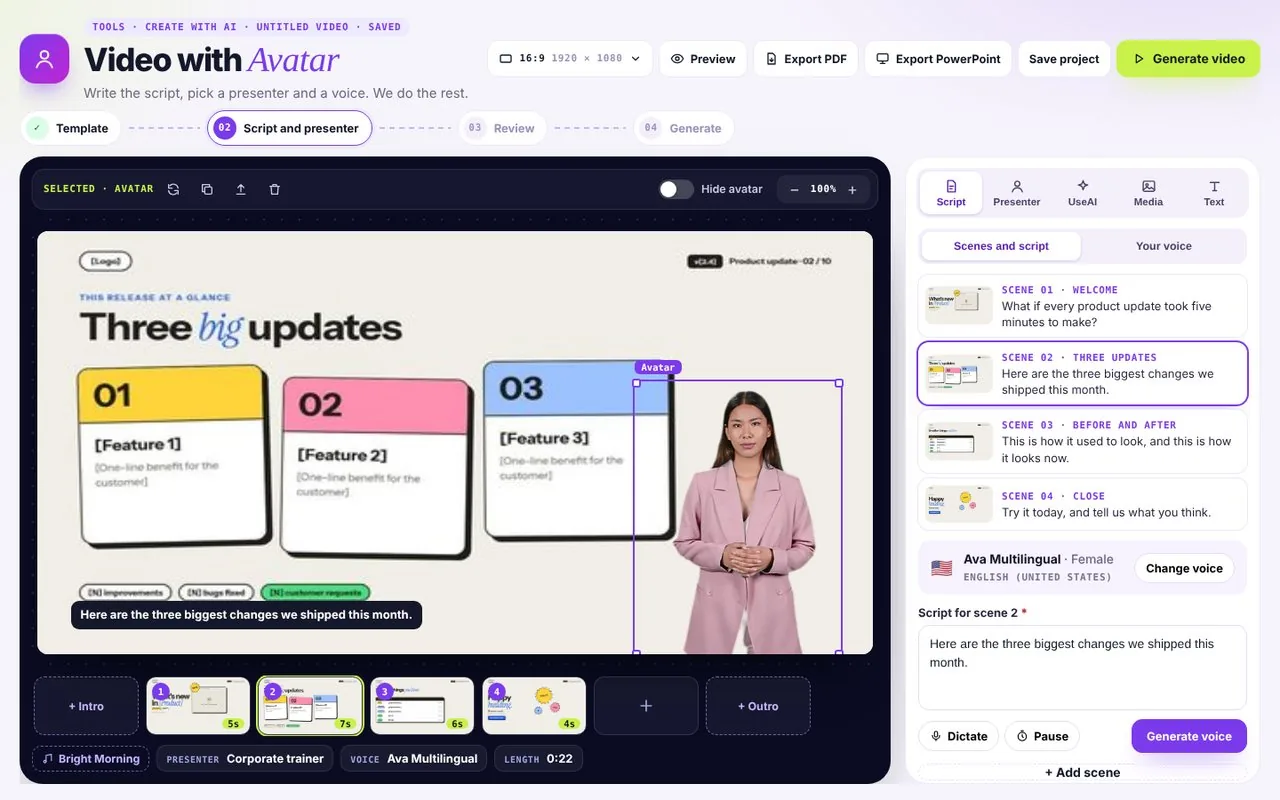
Each scene gets its own script and voice, with the slide right beside it.
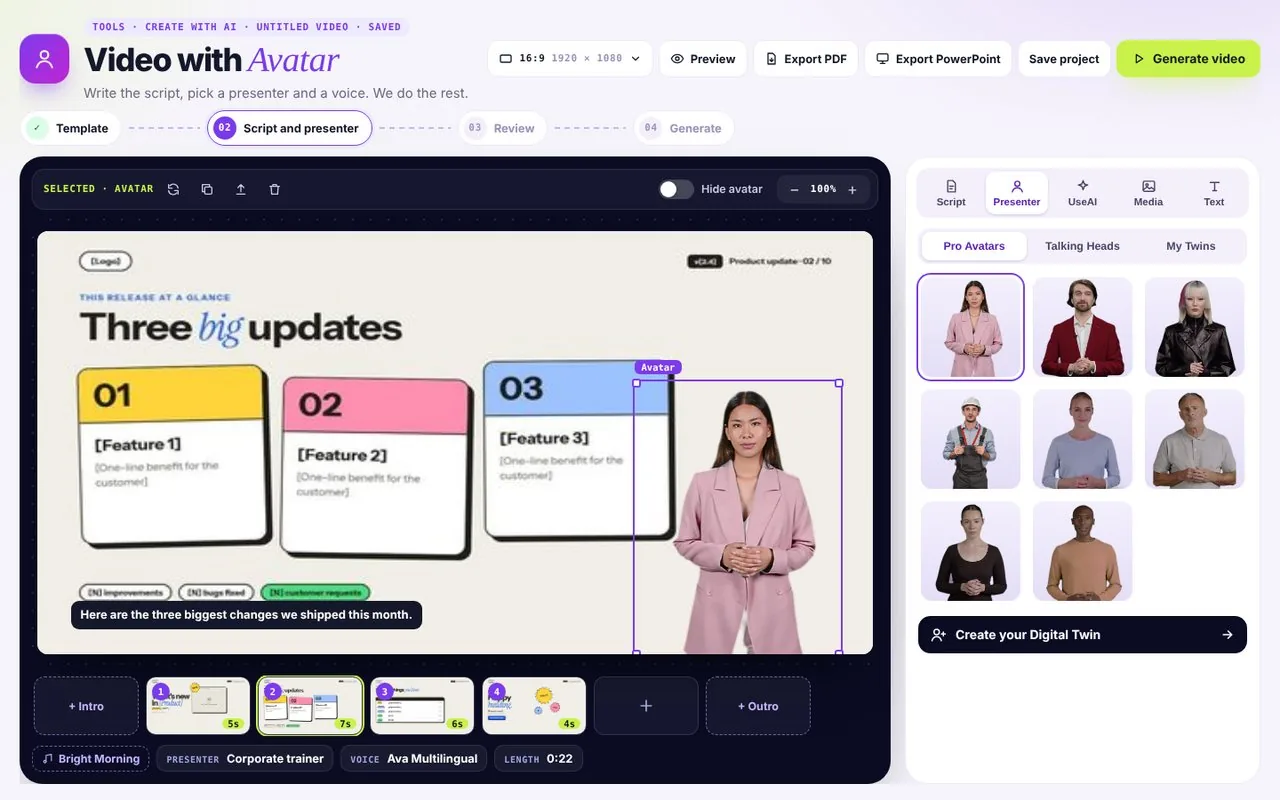
Pro avatars, talking heads or your own Digital Twin, placed on the slide.
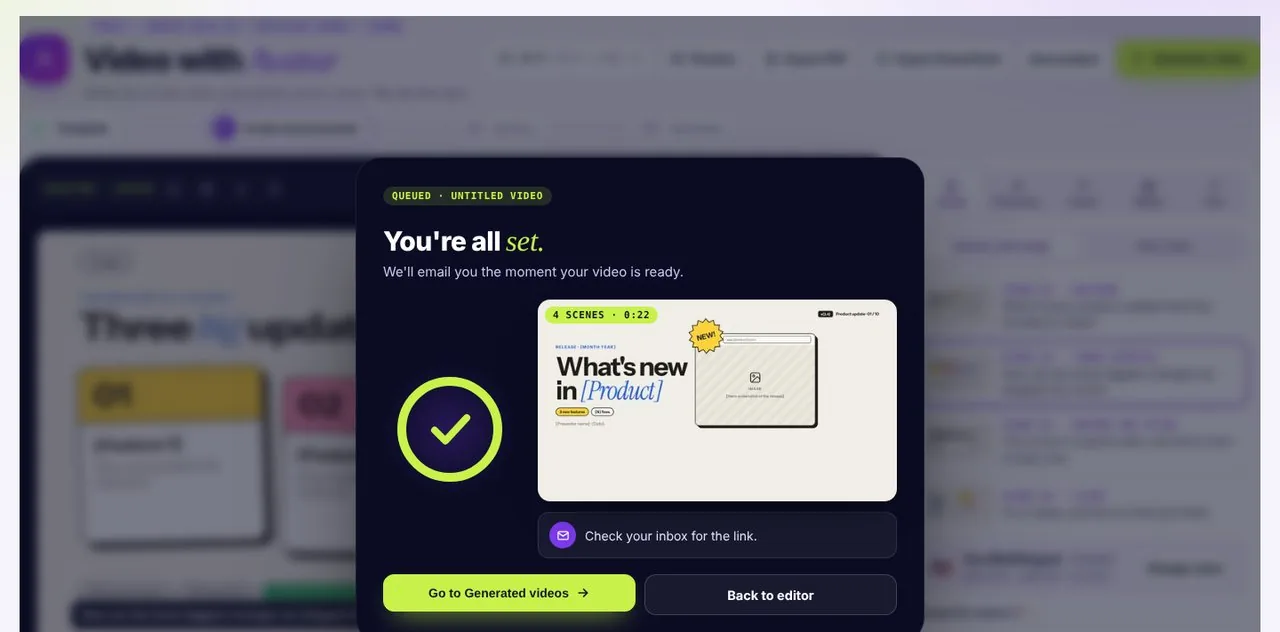
One click renders the video and sends it to Generated videos.
Business, education, health, creator-style. Pick a look that fits your audience, and keep the same face across a whole series.
120+ presenters in the library. Or make one of yourself.
Create your Digital TwinUpload one photo or a short video of yourself. vidBoard builds an avatar that looks like you, then speaks any script you give it. Pair it with Clone Your Voice and it sounds like you too.
vidBoard runs its own lip-sync model, so mouths land on every sound, including the hard ones like M, B and P that make cheaper avatars look dubbed.
Every word is matched to the presenter's mouth, frame by frame.
Onboarding, policies and safety refreshers that stay consistent across every team.
Pairs well with AI Dubbing
Walk customers through a feature in under two minutes, then update the script when the product changes.
Pairs well with AI Subtitles
Record a whole module without setting up a camera, and keep the same presenter across every lesson.
Pairs well with Video from PPT
Personal-feeling intro videos for prospects, made in minutes instead of a recording session.
Pairs well with Clone Your Voice
Rendering time depends on the number of words in your script: anywhere between 30 seconds and 15 minutes for a 10-minute avatar-led video. It also depends on how busy our servers are.
Yes. Every avatar can present in 125+ languages, and AI Dubbing can translate an existing video while keeping the same presenter.
Yes. Create Your Digital Twin turns one photo or short video into your own avatar, and Clone Your Voice gives it your voice.
Yes. Place the presenter over slides from Video from PPT or Video from Document, or over your own images and video from Media. Drag and resize it, or hide it on any slide.