See exactly what you'll use
Real screens from Video Repurpose inside vidBoard, from the first click to the finished file.
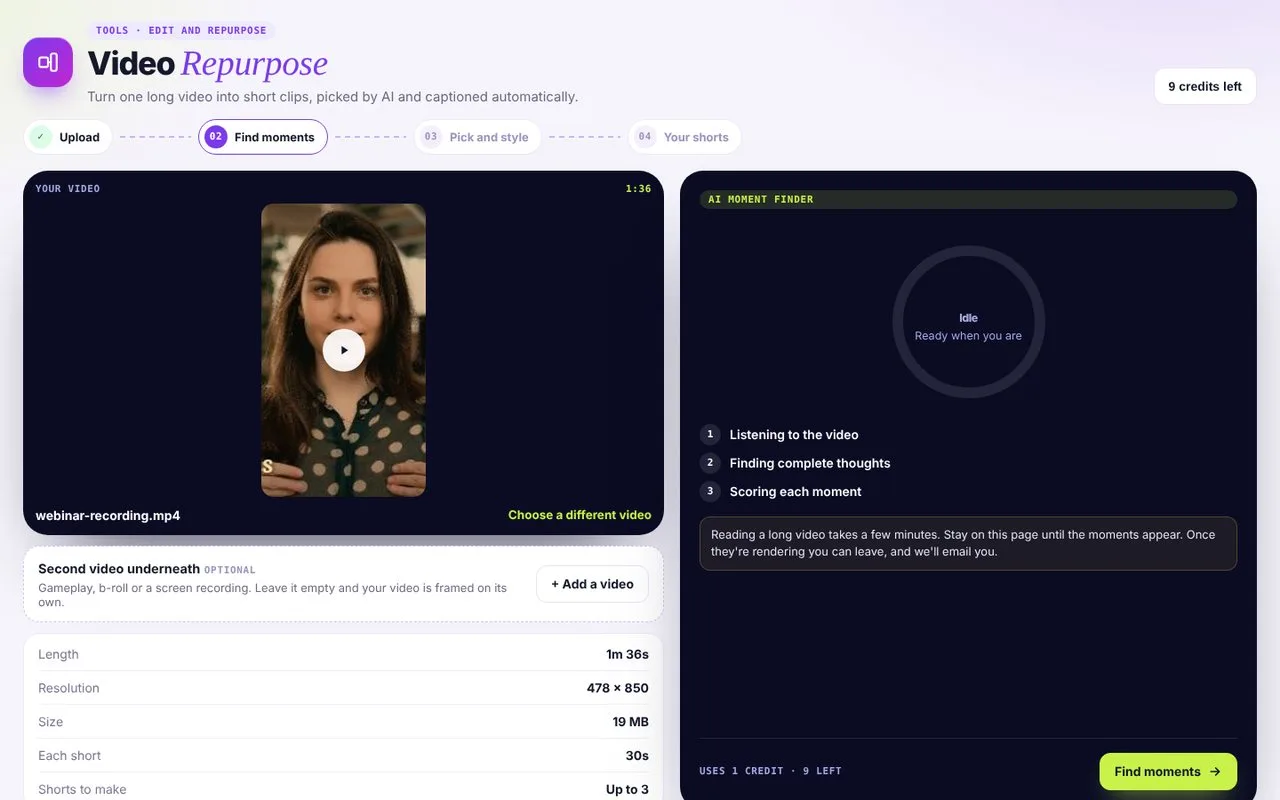 01Upload a long video
Optionally stack a second video underneath, like gameplay or B-roll.
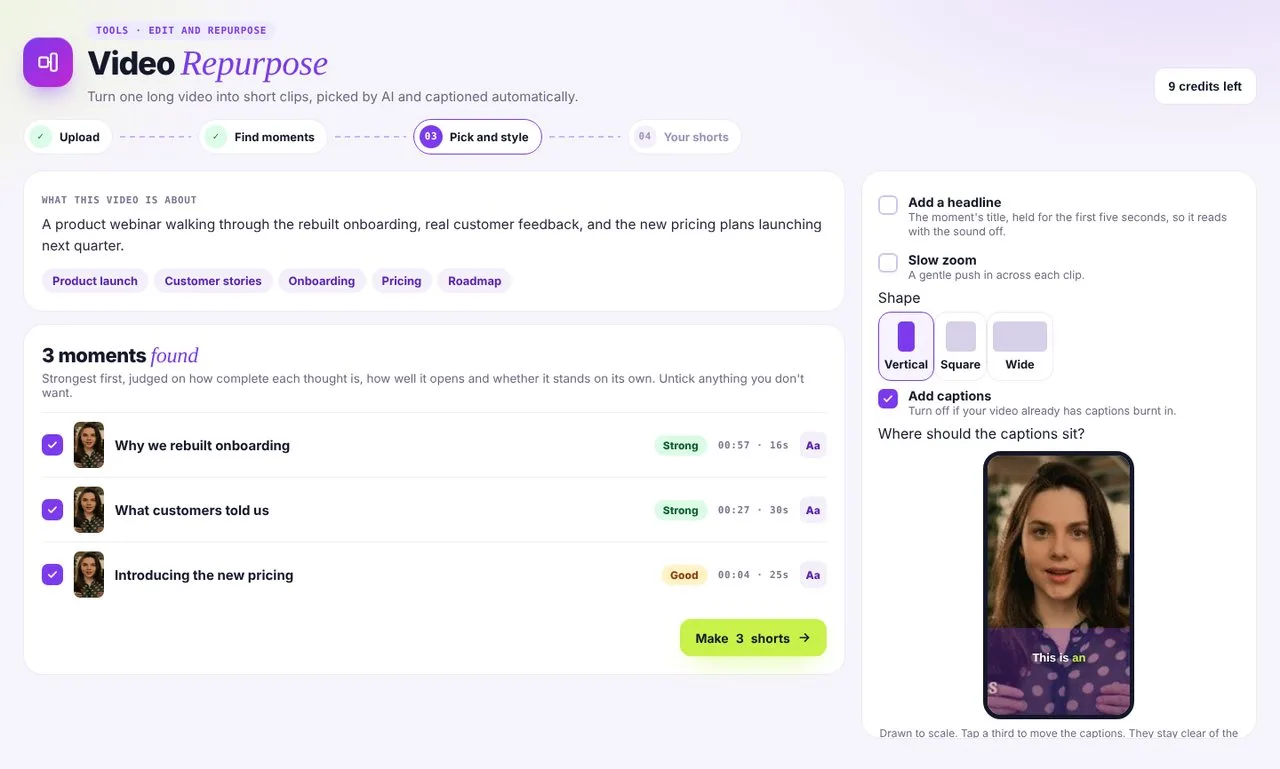 02Pick and style moments
AI ranks the strongest moments. Choose shape, headline, zoom and captions.
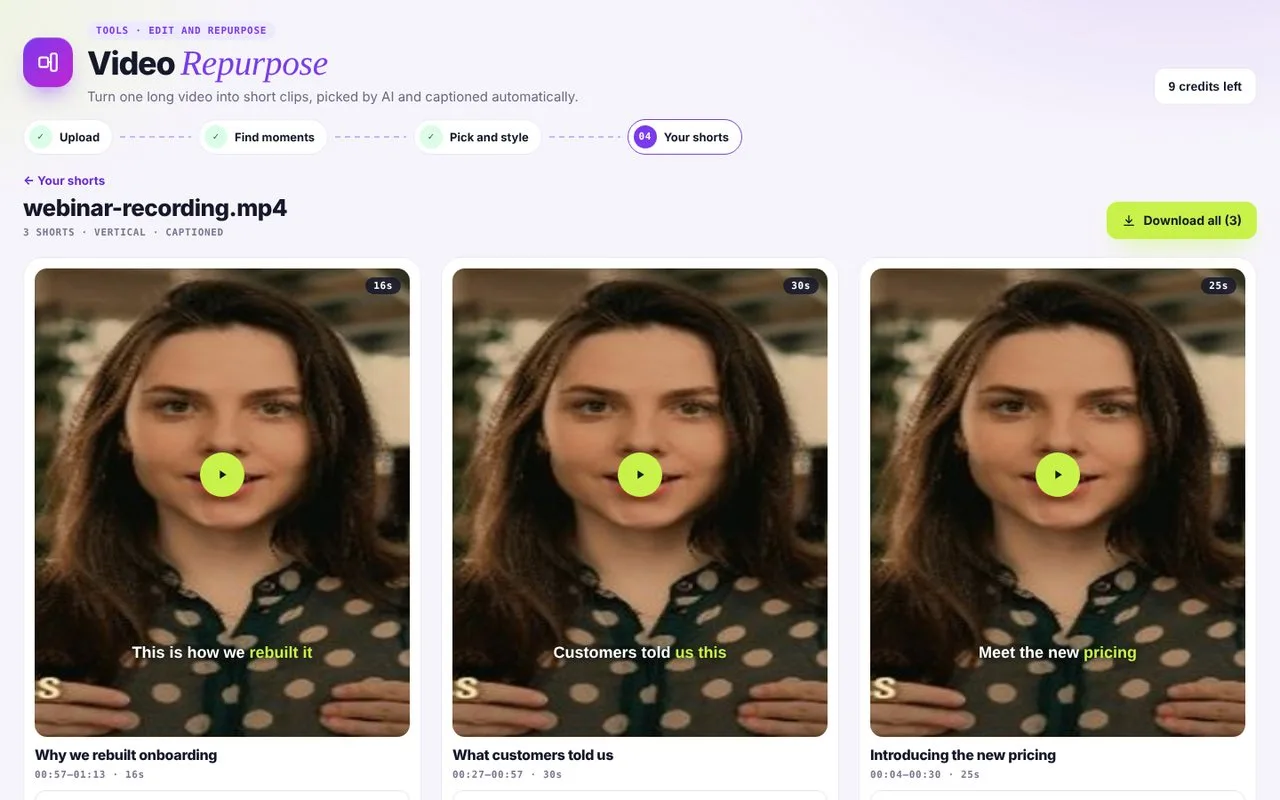 03Download your shorts
Every short is ready to download, and you can re-download for free.
From one recording to a week of posts
- 01webinar.mp4 · 42:18
Add your long video
Upload a webinar, podcast, lesson or talk. Add a second video underneath, like gameplay or B-roll, if you want one.
- 0200:06So the first thing I tell every new creator06:12The one habit that changed everything for me06:30was recording before I felt ready07:02and that leads into the second point
vidBoard finds the moments
It listens, finds complete thoughts and rates each one Strong or Good, so you keep only the best.
- 03
Styled your way
Vertical, square or wide, with an optional headline, a slow zoom and captions placed where you want them.
- REELSSHORTSTIKTOKLINKEDIN04
Post everywhere
Download clips sized for Reels, Shorts, TikTok and LinkedIn, and re-download them any time for free.
Made for anyone with long-form content
Course creators
Turn every lesson into teaser clips that sell the full course.
Podcasters
Pull the quotable moments out of a one-hour episode.
Marketing teams
Get a month of social posts from one webinar.
Coaches and speakers
Share bite-sized advice from your talks and sessions.
Repurpose questions
How do I pay for it?
With video packs. Start free with 1 video, then buy a pack of 10, 50 or 150 videos when you need more. There is no subscription: buy another pack only when yours runs out.
Is there a limit on how many clips I can make?
Each long video gives you up to 5 shorts, and each new video uses one credit. Re-downloading is always free.
What kinds of videos work best?
Talking-heavy content works best: webinars, podcasts, lessons, interviews and talks.
Can I edit a clip before downloading it?
Yes. Before the shorts are made you untick moments you don't want, choose the shape, add a headline or slow zoom, and set the caption style, size and position.