INSIDE THE TOOL
Try Audio SuiteSee exactly what you'll use
Real screens from Audio Suite inside vidBoard, from the first click to the finished file.
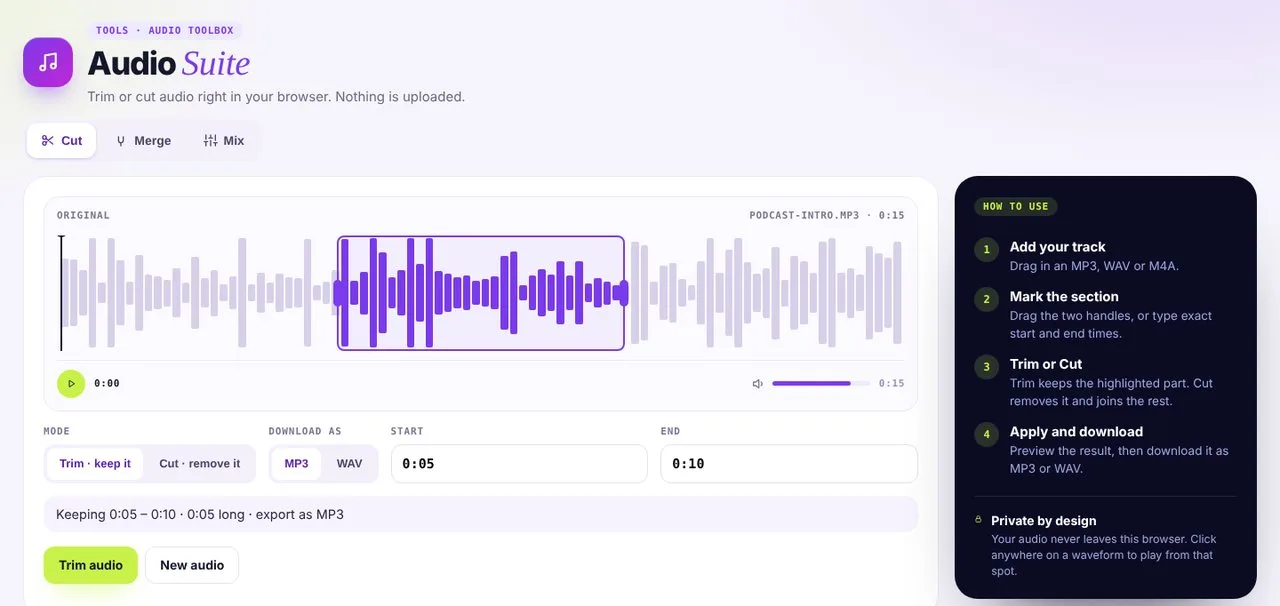 01Cut
Trim or cut a track and download as MP3 or WAV.
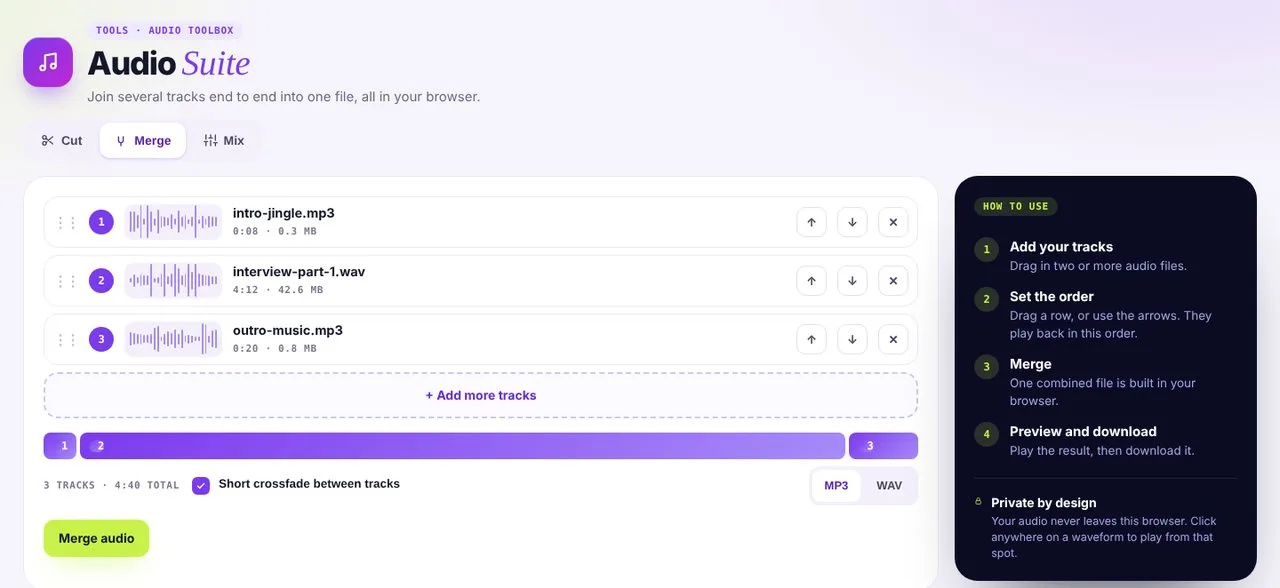 02Merge
Join tracks end to end, with an optional crossfade.
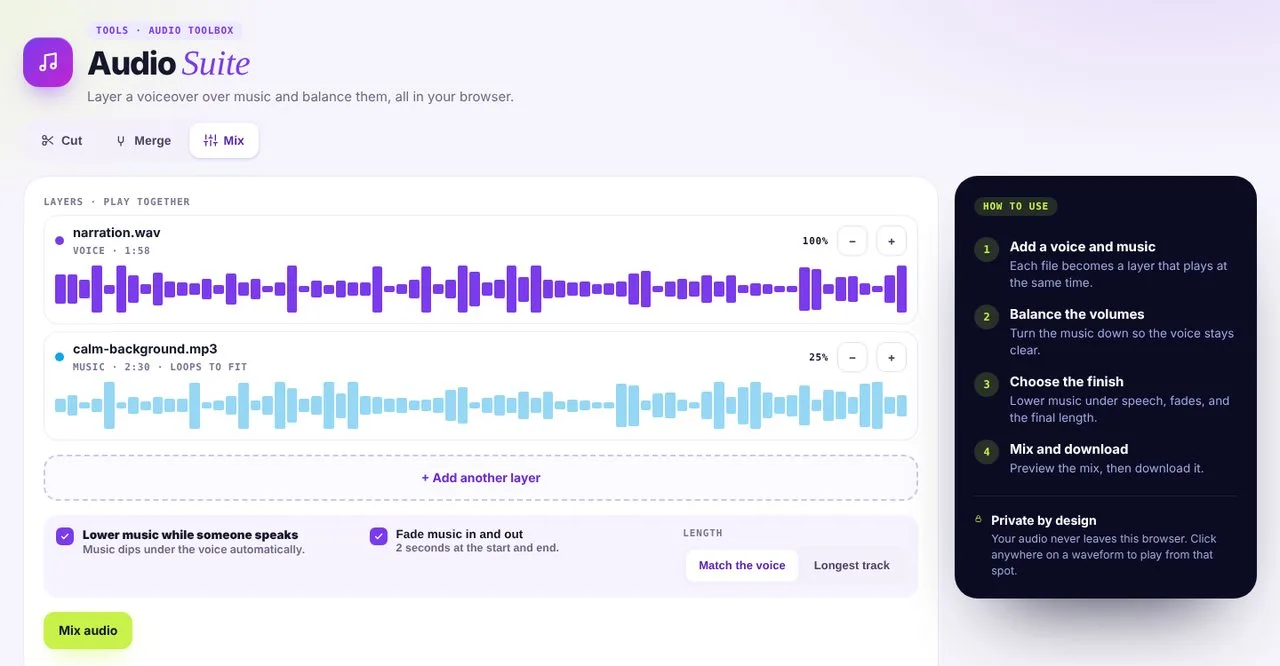 03Mix
Layer a voice over music and balance the volumes.
Three tools for better sound
- 01
Cut
Remove mistakes, coughs and long pauses.
- 02
Merge
Join recordings into one file.
- 03
Mix
Balance voice and music in one track.
Make the audio work harder
Pair your clean audio with the rest of vidBoard.
Audio Suite questions
Is my audio uploaded?
No. Editing happens in your browser, so the file stays on your device.
Which formats work?
MP3, WAV and M4A.
Can I export as MP3?
Yes. Download as MP3 or WAV.