See exactly what you'll use
Real screens from Video from Document inside vidBoard, from the first click to the finished file.
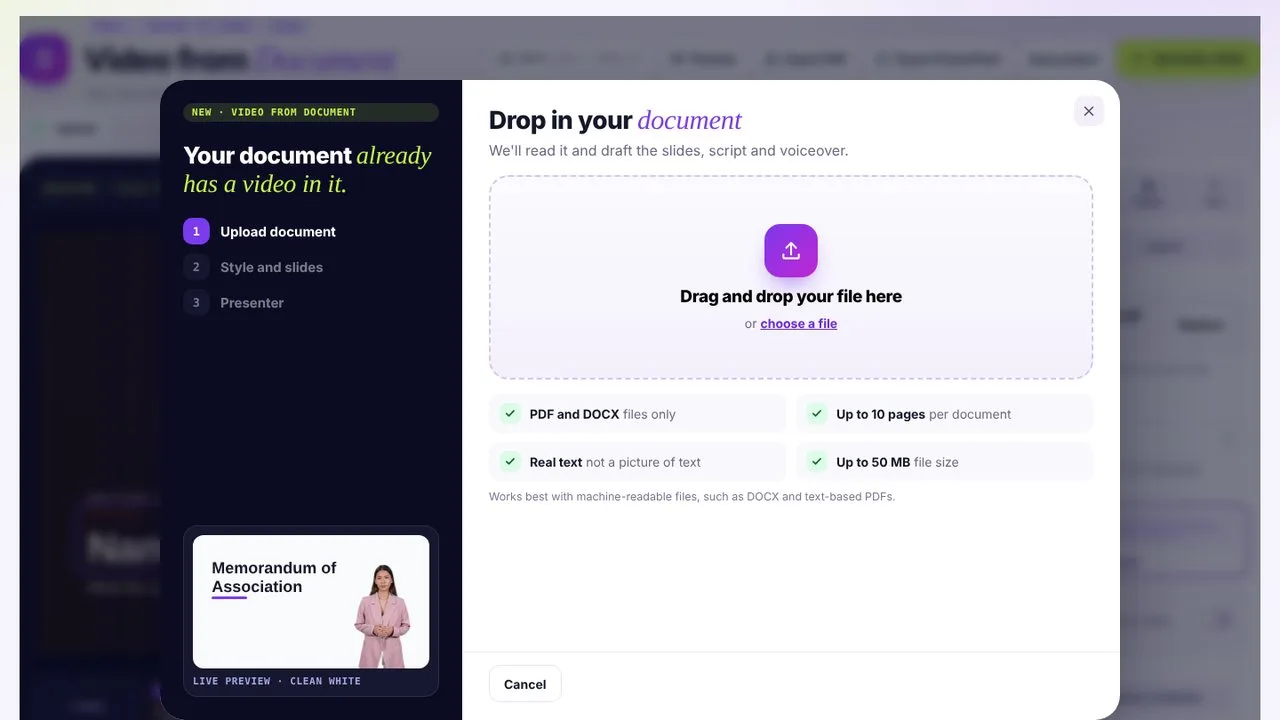 01Drop in your document
PDF or DOCX, up to 10 pages. vidBoard reads the text for you.
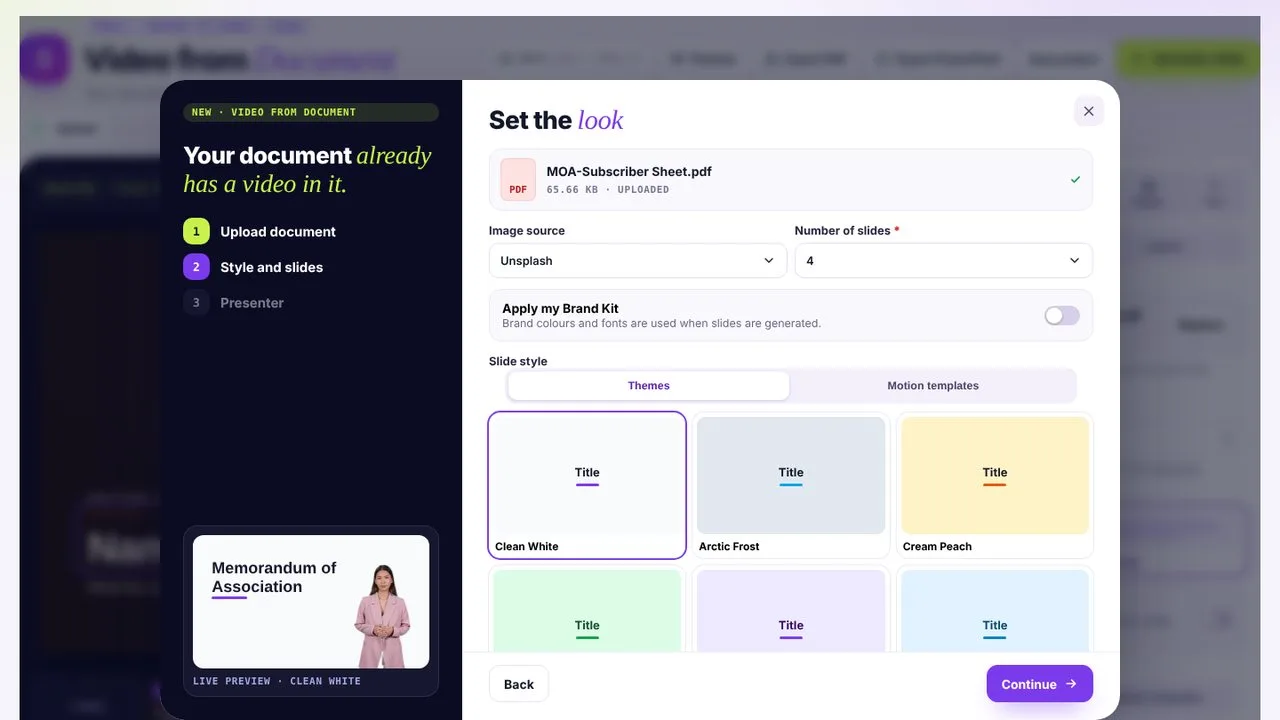 02Set the look
Pick image source, slide count, Brand Kit and a theme or motion template.
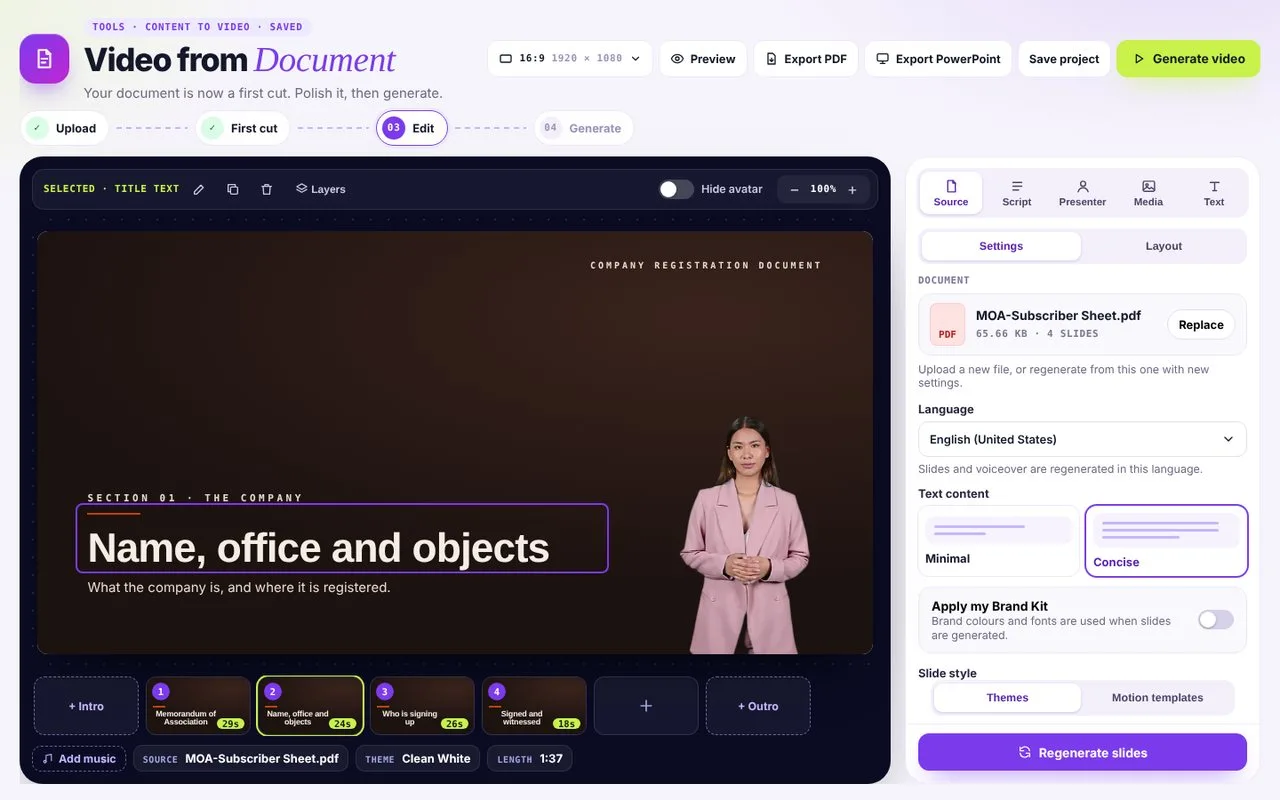 03Edit the first cut
Every slide, script line and layout is ready to tweak before you generate.
Pour your document into a designed template
See all templatesFrom page to finished video in four moves
- STEP 1
Upload
Drop in a Word file or PDF, up to 10 pages and 50 MB.
- STEP 2
Choose the look
Pick a theme or motion template, your Brand Kit, the image source and how many slides you want.
- STEP 3
Pick a presenter
Choose an AI avatar or your Digital Twin, or leave the presenter out.
- STEP 4
Edit and generate
Your first cut opens in the editor. Tweak any slide, script or layout, then generate.
Same information. Very different odds of being read.
Who turns documents into video
HR and compliance
Policies, codes of conduct and benefits guides that people actually finish.
Learning and development
Turn manuals and SOPs into short training modules.
Educators
Lecture notes and readings become lesson videos.
Consultants and analysts
Reports become a 2-minute brief for busy clients.
Document questions
Which file types can I upload?
Word documents (DOCX) and PDFs with real text, not scans. For slides, use Video from PPT; for spreadsheets, Video from Spreadsheet; for web pages, Video from Link.
How long can the document be?
Up to 10 pages and 50 MB per document. vidBoard summarises the key points into the number of slides you choose.
Can I edit the script before rendering?
Yes. Every scene's narration and on-screen text is editable before you render.
Can the video be in a different language from the document?
Yes. Choose any of 125+ languages for the voiceover and subtitles.