

You have a ten-slide product brief and three distribution targets: a 16:9 product demo, a 9:16 social clip and a 1:1 thumbnail-driven ad. The brief becomes three editable videos in vidBoard, and the question is not whether each one looks good but whether every asset uses the exact brand colour, the approved headline font and the correct logo lockup—without a manual pass on every file.
Why branding breaks when production is ad hoc
Off-brand outputs don’t usually come from bad intent. They come from process gaps: multiple contributors using different source files, agencies working from unaligned templates, last-minute edits that change a font or swap a logo, and the final handoff where someone exports a version without the brand checks. Those small inconsistencies multiply as you scale—three formats, ten topics, dozens of videos—and suddenly you have a library of assets that look like they were made by different companies.
For organisations that produce video at volume—training teams converting course notes, marketing ops turning whitepapers into promos, agencies managing client deliverables—manual correction is the hidden bottleneck. It turns branding from a quality gate into a recurring operational cost: someone must check each file, fix colours and logos, re-export, and repeat. That is the problem Brand Kit is built to solve.
Brand Kit: store once, enforce everywhere
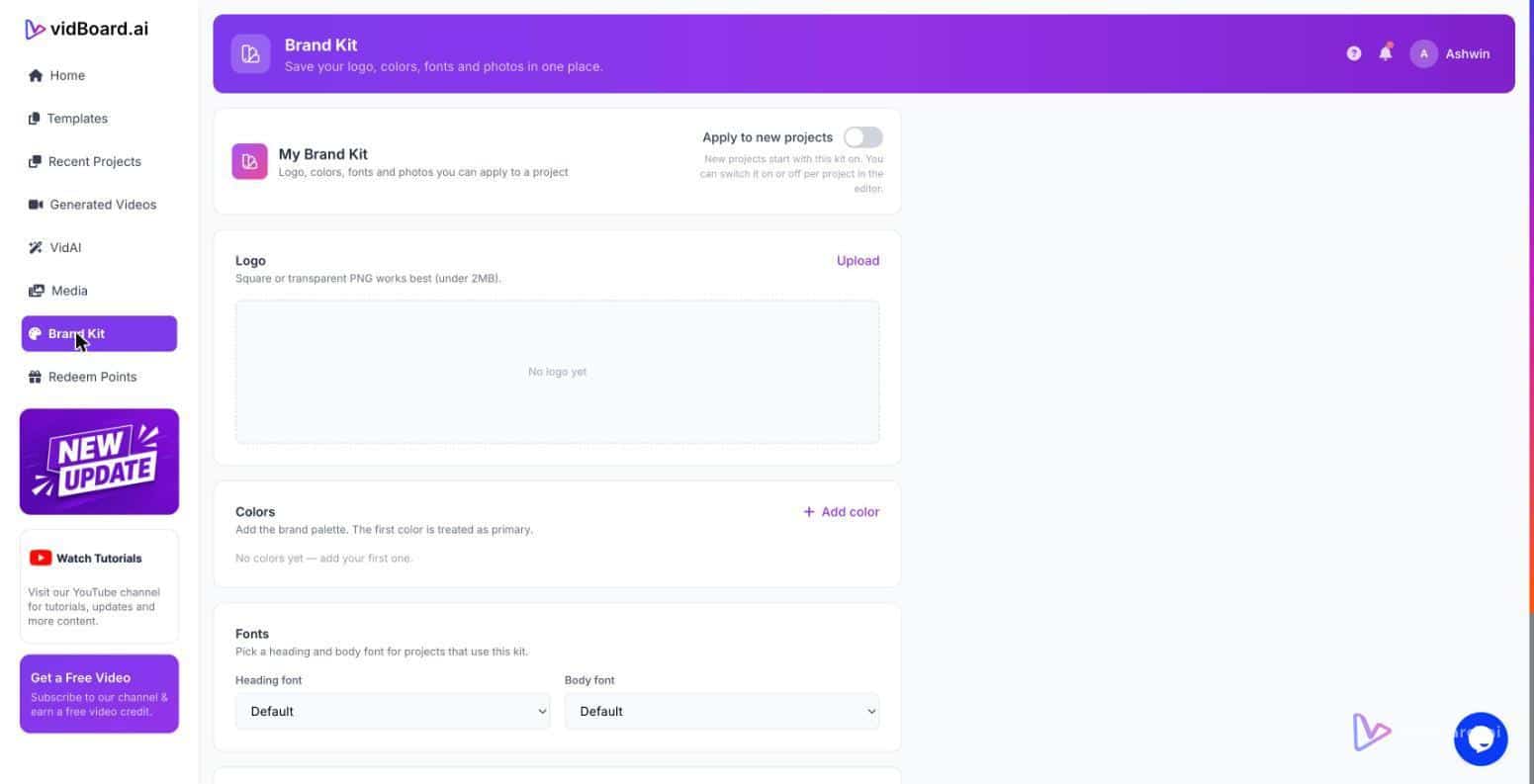
Brand Kit in vidBoard stores your colours, fonts and logo once and applies them automatically to every generated project, including videos created from documents, links and PowerPoint decks. That single fact changes where branding sits in the workflow. Instead of being a finishing step at the end of production, the brand becomes a rule that the system applies from the first draft onward.
Because vidBoard starts from existing content—documents, decks, links or scripts—the Brand Kit is applied at the point the draft is generated. That means the AI fills templates and layouts with copy and visuals that already carry the right brand values. When designers or subject-matter experts edit the result in the browser, they are editing an asset that already conforms to brand rules, not a raw file that still needs a final pass.
Two platform features make this operable at scale. First, the template library (about 129 designs across landscape, portrait and square) gives predictable layout patterns the Brand Kit can target. Second, the editor is fully editable after generation—text, images, timing, motion and voice remain changeable—so teams keep creative control while the brand is enforced. Together these reduce the manual fixes you would otherwise do after export.
Operational rules that keep video on-brand
Think of Brand Kit as a production control rather than a styling panel. That difference matters when you design processes for repeatable output.
- Define once, prevent divergence. Store approved colours, headline and body fonts, and logo assets in the Brand Kit. Every Project generated from a document, link or deck inherits those settings automatically, so a hundred AI-generated drafts begin with the same baseline.
- Make templates the default unit of work. Templates, motion designs and imported presentation layouts exist in all three orientations. When teams pick a template pre-bound to a Brand Kit, the layout choices that could introduce inconsistency are removed.
- Allow fast, safe edits. vidBoard’s editable canvas treats AI output as a first draft. Per-slide regenerate lets you re-run a single slide without rebuilding the project, so you can tighten phrasing or swap an image while the Brand Kit continues to control colours and logos.
- Scale across contributors and clients. For agencies or organisations with multiple teams, a Brand Kit becomes the shared rulebook: internal comms, marketing and course authors all produce different content with the same look and feel, and agencies can maintain a Brand Kit per client to prevent cross-client bleed.
These are operational levers, not cosmetic choices. They shift brand work from a person-by-person quality check to a reproducible rule embedded in the production system. That is what makes volume work viable: not fewer people, but fewer manual brand fixes.
What this means for teams
For marketing ops and creators, the practical consequences are straightforward. When Brand Kit is the production rule, you can convert an archive of documents, decks and articles into a video library without scheduling a separate branding sweep. For training and course creators, consistent fonts and logo placements mean modules across a catalogue look cohesive. For agencies, Brand Kit reduces the rounds of client feedback that are purely stylistic.
Brand control works best when it is baked into the flow you already use: start from a document or deck, generate a draft with the Brand Kit applied, edit for message and timing, then publish in the three orientations you need. The Brand Kit removes the last-mile friction so your team spends time on content choices, not on redoing exports to fix the logo.
Branding is not decoration. In vidBoard, Brand Kit makes brand decisions operational—a rule the platform enforces from the first draft to the final export—so your videos scale without losing the single visual identity you want to protect.