

When a learning team converts an employee handbook, a product sheet and a set of training slides into video, the work is not finished the moment the MP4 is exported. Consistency — the same colours, typography, logos and vocal identity — is what keeps that body of content recognisable, trustworthy and reusable. Without a production rule that applies brand at the point of generation, every video becomes a manual finishing job or, worse, a small variation that chips away at the brand over time.
Why brand drift happens when you scale video production
Scaling video output exposes two realities. First, different inputs arrive in different formats: PDFs, PowerPoints, blog posts and recorded audio all carry their own styling or lack of it. Second, when teams rely on manual finishing — reapplying colours, replacing fonts, or re-recording voice to match an existing library — the process becomes slow and error-prone. The result is a content library where adjacent videos feel inconsistent: the headline type is slightly different, callouts use a different shade, or the narration sounds like a different person.
That inconsistency is costly in three ways. It weakens recognition (viewers don’t connect the pieces into a single brand story), it increases overhead (manual corrections after generation), and it fragments reuse (you can’t reliably republish an older piece without a visual or vocal mismatch). The central commercial question then becomes operational: how do you make brand consistency a production rule rather than a finishing step?
Make brand a production rule: Brand Kit, templates and voice cloning
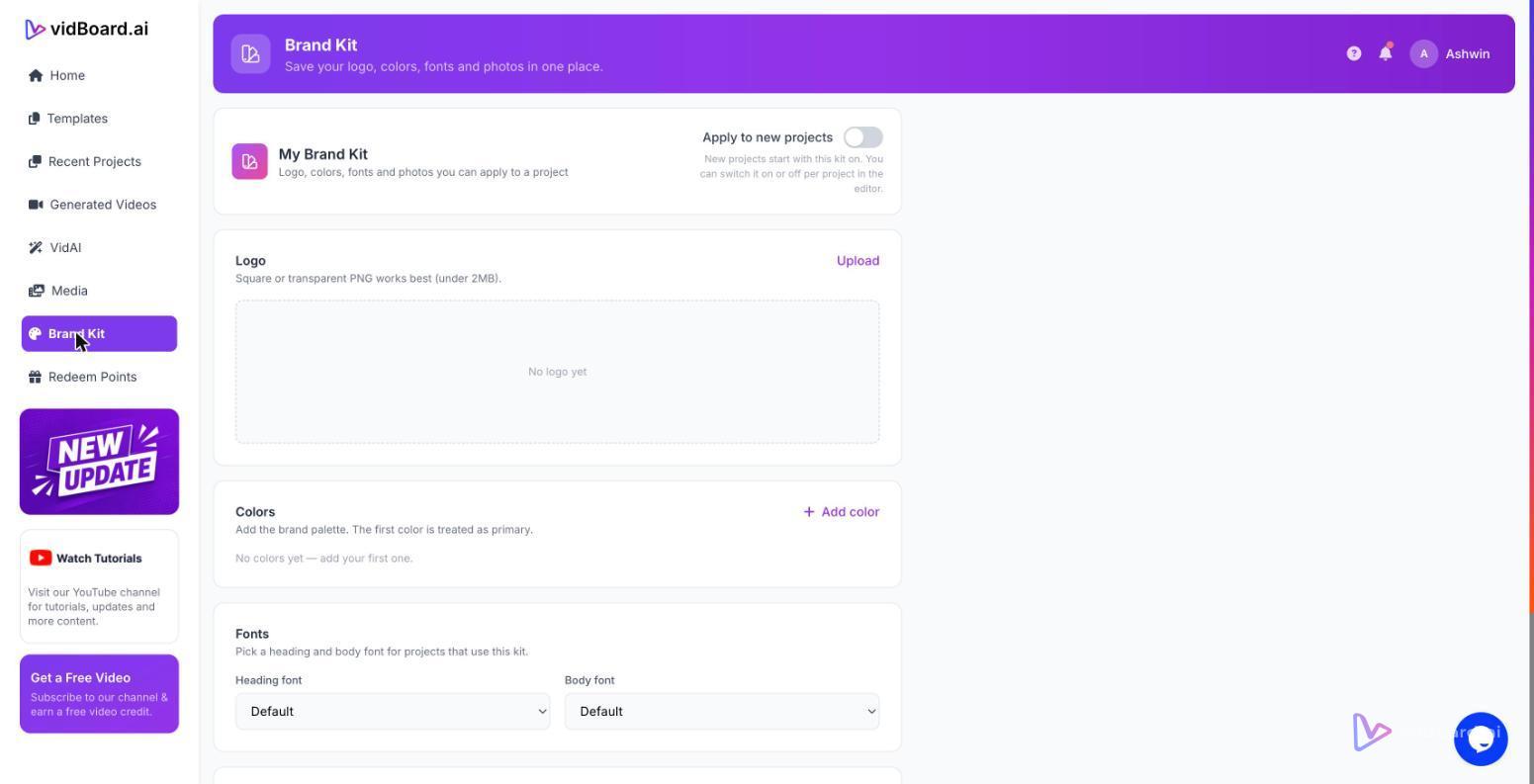
The practical way to avoid brand drift is to shift brand settings from optional to automatic. vidBoard’s Brand Kit does exactly that: it stores your colours, fonts and logo once and applies them to every generated project — including videos created from documents, links and PowerPoint files. That single rule changes the workflow. Instead of fixing each video after generation, the editor applies the brand while the draft is being assembled.
Two other features complete the guardrails around a consistent look and feel:
- Template library (~129 designs) — Motion templates and imported presentation layouts are available in landscape, portrait and square. The same AI-fill adapts a template to your content so every project starts from a design that already follows your visual rules.
- Voice consistency — Use voice cloning to keep a single vocal identity across hundreds of outputs, or upload a recorded voice for human reads. For projects that need presenter-led delivery, avatars and digital twins keep a recurring presenter consistent across the library. For localisation, AI dubbing and multi-language voiceover preserve the brand’s tone in other languages.
Together, those controls prevent small, invisible decisions from accumulating into a brand problem. Brand Kit enforces colours and fonts; templates enforce layout, hierarchy and motion; voice cloning enforces the vocal identity. Because vidBoard treats AI output as an editable first draft, teams retain control while removing repetitive brand work from every project.
Practical workflow to build a consistent video library
Turn a backlog of written material into a coherent library with a repeatable process that embeds brand at generation time. A typical flow looks like this:
- Start from your source: upload a document, a PowerPoint or paste a link. vidBoard reads the original facts and structures the content into scenes rather than inventing details.
- Apply Brand Kit: the stored colours, fonts and logo are applied automatically to the generated draft so every slide begins on-brand.
- Choose a template: pick from the motion and layout library to set consistent scene rhythm and motion across projects and orientations.
- Set the voice: select an AI voice, apply a cloned voice, or upload a human recording to keep vocal identity consistent across the catalogue.
- Fine-tune at the scene level: edit text, swap images, or use per-slide regenerate when a single slide needs a new draft without rebuilding the whole project.
- Localise and publish: use subtitles, caption translation and AI dubbing to create regional variants while preserving brand and voice; export MP4s or publish directly to YouTube from the finished-video screen.
That workflow turns brand controls into scale-friendly automation: generate many videos from existing material with the same design and voice rules applied consistently, and only edit when there is a true creative need.
For teams converting course catalogues, product documentation, or a publisher’s archive, the benefit is simple and concrete. You convert static knowledge into a single editable master video per asset, produce landscape, portrait and square variants from the same project, and keep the brand and voice consistent across every channel. The result is a recognisable, reusable video library rather than a collection of one-offs.
Consistency at volume is not a stylistic preference; it is a production decision. When brand settings are stored and applied as part of generation — rather than left as an afterthought — teams save time, reduce rework and preserve the recognition that makes video libraries work for audiences and organisations alike.