

Take a finished source asset — a PDF course outline, a published blog post or an internal PowerPoint — and drop it into vidBoard’s Document → Video or PowerPoint → Video importer. The platform reads the real facts and structure of your file, drafts scene-by-scene narration, matches visuals and delivers an editable, on-brand canvas you can refine. That concrete first step is the operational hinge: it turns dormant written material into a modifiable video draft you can treat as inventory.
Inventory and prioritise the backlog
Start by inventorying the content that already exists rather than imagining new shoots. Use the categories vidBoard is built to serve — course notes and SOPs, slide decks, blog posts and product pages — as your first sort. Those categories align with the platform’s strengths: Document → Video, PowerPoint → Video and Link → Video are the fast paths to a draft video, while Script / Text → Video supports deliberate scripting work.
Prioritise conversion with simple, repeatable rules that map to production value and reuse potential. For example, give top priority to: internal training and compliance documents that will be used repeatedly; popular evergreen blog posts or reports you want on YouTube; and sales or product decks that get repurposed across channels. These are the items that deliver the most value when turned into a branded, editable video library.
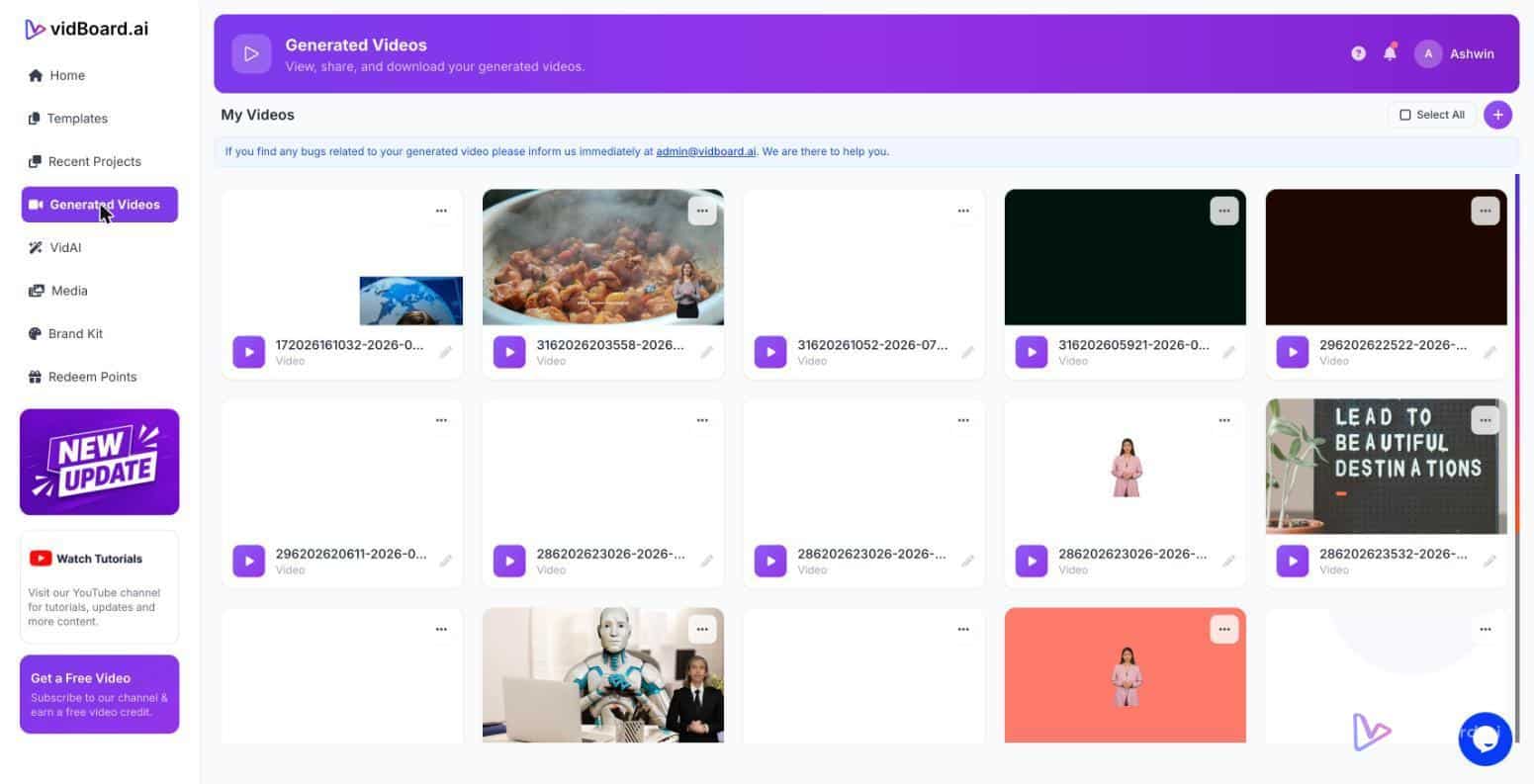
Keep the inventory inside vidBoard’s organisation tools — projects, folders and the central videos dashboard — so every converted asset is discoverable and tied to a project owner. That makes it possible to run a steady conversion cadence instead of ad-hoc one-offs.
Convert with brand rules and repeatable templates
Once you start converting, treat brand application as a production rule, not a final finishing step. vidBoard’s Brand Kit stores colours, fonts and logos and applies them automatically to videos generated from documents, links and decks. Make Brand Kit the first step in every project template so every draft coming out of Document → Video already conforms to identity standards.
Standardise on a handful of motion templates from the library (~129 designs across three orientations). Assign one template for training modules, another for product explainers, and a compact template for short social clips. Using a template library guarantees consistent motion and pacing across hundreds of videos and makes peer review faster because reviewers see the same structural choices.
Operationally, lock down a project structure: import the source, apply Brand Kit and a template, allow the AI to generate the first draft, then run a single human review pass. The editor keeps every element editable — text, images, timing, motion and voice — and offers per-slide regenerate so you can fix a problematic scene without rebuilding the whole project. That combination is what turns AI output into reliable, repeatable production.
Review, localise and publish at scale
Design a short, consistent review checklist that reviewers can complete in minutes: fidelity to the source facts (vidBoard preserves actual facts, names and numbers), tone and voice alignment, and visual appropriateness. For training libraries, include a mandatory sign-off for subject-matter accuracy; for marketing assets, include a brand and compliance check.
Localisation is built into the workflow. Use AI Subtitles for transcripts in roughly 99 languages, caption translation for regional variants, and AI dubbing or voice cloning where a localised audio track is required. Because the output exists as an editable master, publish variants in multiple languages and orientations from the same project instead of repeating production work.
Finish the loop with the platform’s publishing exports: MP4 downloads for your hosting or direct publish to YouTube from the finished-video screen. Export slides as PDF to keep a text-and-asset artifact for LMS import or internal archives. Organise finished outputs into folders for distribution teams and schedule regular repurposing: a single master project can produce a landscape lesson, a vertical social clip and a square promo without repeating the core creative work.
For small, tactical jobs use the standalone tools — Audio Suite, Video Suite and the YouTube Thumbnail Maker — as quick top-of-funnel steps. They let you trim, mix and prepare assets without opening the full editor and are natural entry points into the full production flow when a draft needs expansion.
Scaling video production is not about buying more licences; it’s about converting what you already have into a structured, editable library and applying a repeatable operating model: inventory, prioritise, convert with brand rules, review, localise and publish. vidBoard’s content-first approach — start from a document, deck or link and keep the result editable — is the system that makes that operating model practical at volume.