


Learning management systems for education have really changed how teachers, schools, and students handle classes and assignments. Not too long ago, everything was done with paper and in-person lectures. Now, teachers can post lessons online, track student progress, and even grade homework without leaving their desks. With so many options out there, it can get overwhelming to pick the right one. To make things easier, here’s a quick look at some of the best learning management systems for education, schools, and teachers today.
Key Takeaways
- Learning management systems for education help teachers organize lessons, assignments, and grades online.
- There are both free and paid LMS options, each with different features for schools and teachers.
- Some systems are simple and great for younger students, while others are built for big schools or districts.
- Mobile access and easy-to-use interfaces are important for teachers and students alike.
- Picking the right LMS depends on your school’s size, budget, and tech needs.
1. Canvas Lms
Canvas LMS, developed by Instructure, is a cloud-based learning management system that’s pretty popular in schools and universities, from K-12 all the way up to higher education. It’s known for being easy to use and can grow with whatever a school needs. It’s a good fit if you’re looking for something modern and cloud-hosted that doesn’t feel like a chore to figure out.
Canvas really shines when it comes to making courses. Teachers can put together modules, assignments, and quizzes pretty quickly. Plus, it plays nice with a bunch of other tools schools already use, like video conferencing software, plagiarism checkers, and student information systems. This makes it easier to keep everything connected.
Here are some of the things it does well:
- Easy course creation tools: Teachers can build lessons with assignments, quizzes, and other media without too much fuss.
- Lots of integrations: It connects with popular educational software and platforms.
- Mobile access: Students and teachers can get to their courses from anywhere using the mobile app.
- Analytics: It offers tools to track student engagement and performance.
One of the big pluses is how it handles blended learning, mixing in-person and online stuff. It’s designed to work well for both, which is pretty important these days.
Canvas also has features for personalized learning paths and tools that help students and instructors communicate and work together. It’s a solid choice for schools wanting a flexible and user-friendly platform that supports different ways of learning.
2. Moodle
Moodle is a big name in the learning management system world, and for good reason. It’s an open-source platform, which basically means it’s free to use and you can tweak it pretty much however you want. This flexibility is a huge draw for schools and universities that want full control over their online learning environment. Think of it like a customizable toolkit for education.
What makes Moodle stand out is its adaptability. You can add tons of extra features through plugins – we’re talking thousands of them. Need gamification? There’s a plugin for that. Want better analytics? Yep, plugin. This means you can really build a system that fits your specific needs, whether you’re teaching kindergarteners or grad students.
Here are some of the things Moodle does well:
- Customization: You can change themes, add plugins, and even do custom development to make it look and work exactly how you want.
- Mobile Access: There’s a Moodle app, so students can learn on the go, submit work, and even do things offline. Pretty handy.
- Assessment Tools: It’s got a good range of ways to test students, from simple quizzes to more complex assignments, and it keeps track of grades.
- Community Support: Because it’s open-source and so widely used, there’s a massive community online. If you have a question, chances are someone else has already asked and answered it in the forums.
It’s not all sunshine and rainbows, though. Because it’s so customizable, it can sometimes feel a bit overwhelming if you’re not super tech-savvy. Setting it up and maintaining it might require some IT help, and some people find the interface a little dated compared to newer systems.
Moodle’s open-source nature is its biggest strength and, for some, its biggest hurdle. While it offers unparalleled freedom to tailor the platform, it often means you’ll need some technical know-how or support to get the most out of it. This isn’t necessarily a bad thing, especially for institutions that want deep control, but it’s something to consider if you’re looking for a plug-and-play solution.
3. Blackboard
Blackboard, now part of Anthology, has been around for a while and is a pretty solid choice for schools and universities. It’s designed to help manage and deliver online courses, and it plays nice with student information systems, which is a big plus for keeping things organized. You can set up online classes, mix online and in-person learning, and keep all your course materials and assignments in one spot. Teachers can create content, set up quizzes, and grade assignments all within the platform.
Blackboard offers tools for communication, like discussion boards and messaging, so students and teachers can stay in touch. It also keeps track of how students are doing with grade books and analytics. You can host it yourself, in the cloud, or have it managed for you.
Here are some of the things it can do:
- Create and manage courses with different types of content and assessments.
- Use communication tools like announcements and message boards.
- Track student progress with grading and reporting features.
- Support for blended learning environments.
One thing to keep in mind is that while it’s powerful, there can be a bit of a learning curve to get the most out of all its features. It’s built to handle a lot, so getting familiar with everything takes a little time.
4. 360Learning
360Learning stands out for schools and teachers who want more than just a basic training platform. This tool really brings people together with its collaborative approach, making course creation something everyone can be a part of. It’s not just top-down learning anymore; teachers, subject experts, even students, can chip in to build out lessons and resources.
If you hate paperwork, 360Learning has your back. A lot is automated: enrollments, reminders, and even compliance tracking are handled without hassle. The system uses AI to keep things moving—helping write courses quickly and letting you tag key skills so you can see where students need help or are excelling.
Here’s a quick look at what makes 360Learning handy for education:
- Collaborative tools let several users edit and develop courses together
- Real-time feedback and simple reactions from learners (think: like, comment, rate)
- Strong analytics that help teachers see how content is working and who needs extra support
- Easy integration with other tools you might already use (like Google Classroom, Microsoft Teams, or a student information system)
| Feature | Description |
|---|---|
| Collaborative Authoring | Multiple creators can build at once |
| Automation | Handles enrollments & reminders |
| Analytics | Tracks engagement & skill progress |
| AI Course Creation | Speeds up designing new lessons |
Even if you’re not tech savvy, you’ll likely find 360Learning pretty straightforward after a couple of uses. The hope is that it leaves you more time for your actual teaching, with less stress from managing the system itself.
5. Skilljar
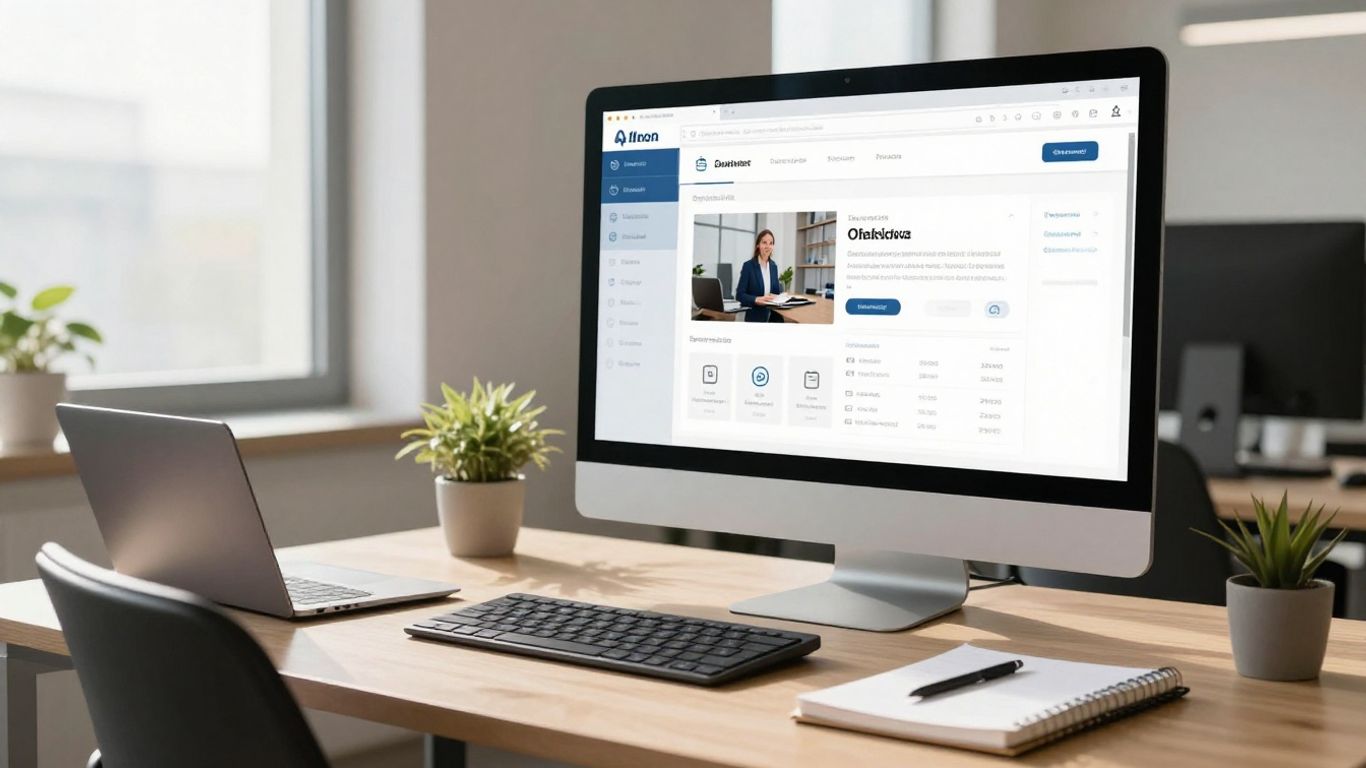
Skilljar is a learning management system that really focuses on training people outside of your company, like customers and partners. If you’re looking to get your clients or your business partners up to speed on your products or services, Skilljar makes that pretty straightforward.
It’s designed to be user-friendly, both for the people creating the courses and the ones taking them. The interface looks good and you can change it to match your brand, which is nice. They’ve got a built-in way to give out certificates when someone finishes a course, and they provide solid data and analytics so you can see how people are doing.
Here are some of the things Skilljar is good for:
- Training external audiences: It’s built from the ground up for customer and partner education.
- Customization: You can make the look and feel fit your company’s style.
- Certifications: Easily award certificates upon course completion.
- Integrations: It plays well with other tools you might already use, like Salesforce and Zendesk.
Skilljar aims to simplify the process of educating external groups. It provides the tools needed to create engaging learning experiences and track progress effectively, all within a branded environment.
Pricing is available upon request, so you’ll need to get in touch with them directly to get a quote based on your specific needs.
6. Litmos
Litmos is a cloud-based learning management system that really focuses on making things simple and easy to use, especially for corporate training and professional development. If you’re looking for something that doesn’t require a whole IT department to manage, Litmos might be a good fit. It’s built to be pretty straightforward, so you can get training programs up and running without a ton of technical know-how.
One of the big selling points is how quickly you can launch training. They’ve got templates and tools that help administrators get courses set up fast. Plus, it’s designed to work on phones and tablets, so your team can learn pretty much anywhere, anytime. They also have a pretty big library of pre-made courses covering things like leadership and compliance, which can save a lot of time if you don’t want to build everything from scratch.
Litmos also tries to keep learners engaged with things like leaderboards and badges, which is basically gamification. It’s supposed to make learning a bit more fun and encourage people to keep going. They also have integrations with other business tools, so you can connect it to your HR software or other systems you already use. This helps training fit into the regular workday instead of being a separate thing.
While Litmos is known for its ease of use, some users mention that it might not have as many deep customization options as other, more open-source platforms. It’s a trade-off – you get simplicity, but maybe less control over every single detail.
Here’s a quick look at some of its features:
- AI-Powered Learning: Includes features like natural language search and AI content authoring to help create and find learning materials.
- Mobile and Multilingual Support: Learners can access training on various devices and in multiple languages.
- External Training Options: Capabilities for selling courses through public storefronts or managing training for partners and customers.
- Gamification: Uses elements like leaderboards and badges to boost learner motivation.
- Integrations: Connects with over 30 business systems, including HR tools and CRMs.
7. Rippling Learn
Rippling Learn is part of a bigger system that handles HR and IT stuff for businesses. Think of it as a way to manage employee training that’s all tied into things like payroll and employee records. This makes it pretty handy if you’re trying to keep a lot of your business operations in one place, especially if you’re a small to medium-sized company.
It’s got a straightforward interface and even works on mobile, which is nice. You can use it for managing courses, making sure people do their required training, and it comes with a bunch of pre-made templates to get you started. They also have a huge library of compliance courses, covering things like sexual harassment and cybersecurity, thanks to a partnership with Go1. You can even set up automatic course assignments based on things like an employee’s job title or department, since it’s all linked to your HR data.
Here’s a quick look at some of its features:
- Compliance Training: Access over 80,000 courses on various topics.
- Automated Assignments: Courses can be assigned automatically based on employee details.
- Reporting: Keep an eye on who’s completing what and who’s falling behind.
- Mobile & Multilingual: Supports over 15 languages and has a mobile-friendly interface.
The big selling point here is how everything connects. If you’re already using Rippling for payroll or other HR tasks, adding the learning module just makes sense. It means less data entry and a more unified view of your employees.
Reviewers often mention how convenient it is to have everything in one system, from onboarding new hires to managing time off. They also say it’s easy to figure out without needing a manual, which is always a plus.
8. Illuminate Education
Illuminate Education is a bit different from some of the other systems we’ve looked at. It’s not just a place to put your courses; it’s more focused on assessment, analytics, and helping schools figure out how students are doing and what interventions they might need. Think of it as a tool that works alongside your main learning system, giving you a clearer picture of student progress.
It’s particularly strong when it comes to measuring learning and coordinating support for students.
Here’s a quick look at what it does well:
- Assessment Tools: They have a solid engine for creating and managing various types of assessments. This helps teachers see what students know and where they might be struggling.
- Data and Analytics: Illuminate really digs into the data. You get dashboards that show student performance, which can be super helpful for teachers and administrators trying to make informed decisions.
- Intervention Support: The platform is designed to help identify students who need extra help and then track the interventions put in place. This is part of their MTSS (Multi-Tiered System of Supports) tools.
It’s often used by districts that want a more robust way to handle testing and track student growth over time. While it might not be the primary place where daily lessons happen for every student, its focus on data and assessment makes it a key player for many educational institutions.
For schools looking to get a better handle on student performance data and intervention strategies, Illuminate Education provides a focused set of tools. It complements other learning platforms by offering deep insights into academic progress and needs.
If you’re interested in how platforms can help with accessibility and compliance, you might want to check out Blackboard Ally as well.
9. Totara Learn
Totara Learn is a bit different from some of the other systems out there. It’s built on an open-source foundation, which means it’s pretty adaptable. Think of it as a framework you can really mold to fit what your school or organization needs. It’s designed to help manage and grow employee development, and it’s got a lot of flexibility.
One of the cool things is how it handles learning plans. You can set up individual learning paths for each person, showing them exactly what they need to work on, what skills they’re building, and what their goals are. This makes it easy for learners to see their progress and jump right into their training. Plus, there are ways to manage this whole process with approvals and notifications, which is handy for keeping things on track.
Totara Learn also plays nice with different ways of learning. You can mix instructor-led sessions, self-paced online courses, and even social learning all within the same system. It gives you a lot of control over who can do what, how courses progress, and how groups interact.
Here’s a quick look at some of its strengths:
- Responsive Design: It works well on pretty much any device, whether it’s a computer, tablet, or phone. They even have mobile apps available through partners that you can brand to match your look.
- Learning Plans: As mentioned, these are great for tracking individual progress and objectives.
- Flexible Learning Options: Combines different learning styles into one platform.
- Customization: Because it’s open-source, you can tweak it quite a bit to fit your specific needs.
The pricing for Totara Learn is usually based on the number of active users each year. They have different tiers, so you can pick what fits your budget and user count. It’s worth looking into if you need a system that can be shaped to your organization’s unique requirements.
If you’re looking for a system that you can really shape and control, Totara Learn is definitely worth a look. It’s a solid choice for shaping employee development and creating tailored learning experiences.
Conclusion
Picking the right learning management system can feel overwhelming, especially with so many choices out there. Every school, teacher, and district has different needs, so there’s no one-size-fits-all answer. Some platforms are simple and easy for younger students, while others are packed with features for bigger schools or universities. It’s a good idea to think about what matters most for your classroom or institution—like ease of use, customization, or reporting tools. Don’t be afraid to try out demos or ask for feedback from other teachers. In the end, the best LMS is the one that helps you and your students stay organized, engaged, and learning. Technology keeps changing, so what works today might look different in a few years. But with a bit of research and some trial and error, you’ll find a system that fits just right.
Frequently Asked Questions
What exactly is a Learning Management System (LMS)?
Think of an LMS as a digital classroom or training center. It’s a special software that schools and companies use to organize, deliver, and keep track of learning materials and activities. It helps teachers and trainers manage courses, assignments, and student progress all in one place.
Why are LMS platforms so important for schools and teachers?
LMS platforms make teaching and learning much easier and more organized. Teachers can share lessons, give assignments, and provide feedback without a lot of hassle. Students can access everything they need for their classes anytime, anywhere, which helps them stay on track and learn at their own pace.
Can any type of school or organization use an LMS?
Yes, absolutely! From elementary schools to universities, and even businesses looking to train their employees, there’s an LMS out there for everyone. They can be used for regular schoolwork, professional development, or teaching customers about a product.
How do LMSs help keep students interested in learning?
Many LMSs use fun features like points, badges, and leaderboards to make learning more engaging, kind of like a game. They also allow for group discussions and sharing achievements, which makes learning feel more social and rewarding.
What’s the difference between different types of LMSs?
There are several kinds, like cloud-based systems that you access online, or open-source ones that you can change a lot. Some are built for specific needs, like customer training or K-12 education. The best type depends on what you need it to do and how much control you want.
Is it hard to learn how to use an LMS?
Most modern LMSs are designed to be user-friendly, especially for teachers and students. While some might have more advanced features that take a little practice, many are quite simple to navigate. Plus, most platforms offer support and training to help you get started.