Turn any text, document, or URL into a polished faceless video in minutes. Stock footage, AI voiceovers, animations, and captions included. No filming, no editing skills needed.
Everything you need to make a faceless video, in one place
From script to final export, vidBoard handles every step automatically, so you can focus on your content.
Paste your script and vidBoard scans millions of HD stock clips to find footage that fits each scene. No manual searching, no subscriptions, no copyright worries. The right visuals appear exactly where they need to be.

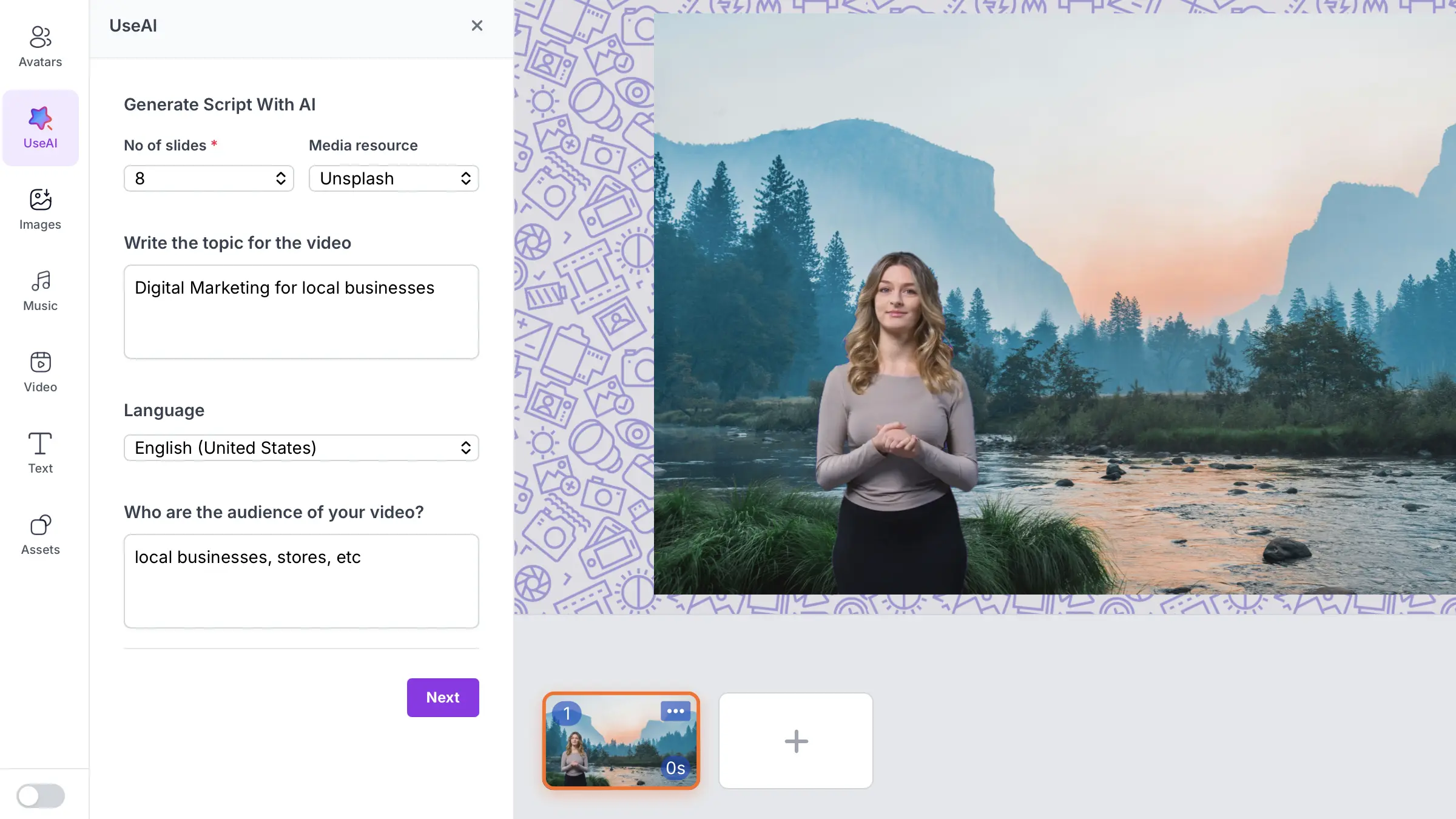
Type a topic, paste a URL, or upload a PDF and vidBoard writes a structured, engaging video script for you. It splits your content into scenes, adds transitions, and formats everything for narration, so you start with quality content, not a blank page.

Pick from 1000+ natural-sounding AI voices powered by ElevenLabs, Azure, and OpenAI. Choose any accent, tone, and language. Or clone your own voice and use it across every video you make, in any language.

vidBoard auto-generates synced captions for every video. Customize fonts, colors, and position to match your brand. Add animated text overlays, lower thirds, and callouts without touching a timeline editor.

Type a topic, paste a URL, upload a PDF, or write your own script. vidBoard's AI breaks it into narration-ready scenes instantly.
Select an AI voice from 1000+ options, let the AI match stock footage to your script, and choose a visual style that fits your brand.
Preview your video, make quick edits if needed, then export in HD. Download it or publish straight to YouTube, LinkedIn, or social media.

Run a profitable faceless YouTube channel with consistent, high-quality videos, without ever appearing on screen.

Produce explainer videos, social media ads, and product promos at scale with no video crew and no studio booking.

Convert course material, documents, and slides into narrated video lessons your students can watch any time.

Launch product explainers, onboarding videos, and feature updates without a single recording session or video editor.

Everything you need to know before creating your first faceless video with vidBoard.
No experience needed at all. vidBoard handles the heavy lifting: script writing, footage selection, voiceover generation, caption syncing, and export. You just review and publish.
Yes. All videos created with vidBoard are yours to publish and monetize. The stock footage and AI voiceovers included are cleared for commercial use across YouTube, social media, and paid advertising.
Explainer videos, listicles, how-to guides, news summaries, product reviews, tutorials, and educational content all perform very well in faceless format. If your content is driven by information rather than personality, faceless works perfectly.
Absolutely. vidBoard supports 125+ languages for both voiceovers and captions. Create a video once, then duplicate and re-voice it in another language to reach international audiences without re-shooting anything.
Most users go from script to finished video in under 10 minutes. The AI handles footage matching, voiceover generation, and caption syncing automatically, so the total time you spend is minimal.
Join thousands of creators and teams who use vidBoard to produce professional faceless videos, without a camera, a studio, or any editing experience.