Browser-based video editing that non-editors can actually use
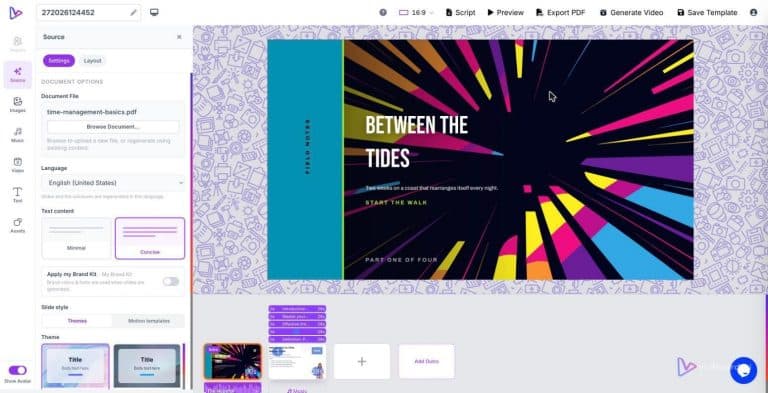
Upload a PowerPoint, drop in a Word document or paste a link and vidBoard parses the content into an editable canvas: text, shapes and images remain objects you can change, narration is drafted, and a motion-ready slide sequence appears — all in the browser with no software to install. That single, concrete shift — starting from what you already have and keeping every element editable — is the difference between a tool that intimidates non-editors and one they adopt for everyday production.
Why installs, jargon and timelines block real adoption
People who need videos most are rarely professional editors: marketing managers, trainers, course creators and busy communicators. Two common barriers stop them before they begin. First, installation friction. Asking a team to download and maintain editing software creates a step that stalls projects, fragments permissions across machines, and pushes simple tasks into IT queues. vidBoard removes that barrier: the editor runs entirely in the browser at /tool/, so anyone with a browser can start without installs or local setup.
Second, terminology and timeline complexity. Traditional editors present a blank timeline and expect users to understand tracks, nodes and professional animation metaphors. For non-editors this feels like a different job: they are communicators, not timeline technicians. The cognitive load of learning an interface eclipses the simple goal — make a short, clear video from an existing deck or document. vidBoard flips the mental model. It asks for the input you already have and presents a slide-like canvas where editing behaves like working on a deck, not assembling media tracks in a specialist app.
Slide-like canvas: production control without the jargon
The practical consequence of a slide-first approach is straightforward: non-editors keep control without needing to become editors. When vidBoard converts a document, link or PowerPoint, slides are parsed into editable objects — text, images and shapes stay fully editable — and the platform writes scene narration and applies motion templates. Users work with familiar actions: drag, resize, align, multi-select, group edits and simple timing controls. That keeps the interface readable to anyone who has used presentation software, while still providing precise control where needed.
Two features make this work for non-experts. Per-slide regenerate lets you fix a single slide’s visuals or narration without rebuilding the whole project. That lowers risk: if one scene feels off, regenerate just that scene and keep the rest. Second, the editor provides per-object timing on a timeline but keeps the interaction slide-focused; you can control when an element appears without wrestling with a pro-level track layout. In short, vidBoard offers production control that reads like a deck rather than a video engineering task.
Keep creative control: templates, Brand Kit and outputs that match your workflow
Speed matters, but so does consistency. vidBoard’s template library of approximately 129 designs — motion templates plus imported presentation layouts — gives a production-ready starting point in landscape, portrait and square. Templates are AI-fillable to your topic so the first draft is useful rather than empty placeholders. That reduces the number of decisions a non-editor must make while preserving the ability to refine the result.
Brand consistency is handled by the Brand Kit, which stores colours, fonts and logos and applies them automatically to generated projects. For teams producing volume — course catalogues, company updates, social campaigns — that turns branding from a finishing step into a production rule. You get predictable, on-brand outputs without manual rework.
vidBoard also supports the practical needs of non-editors across production and distribution: multi-language AI voiceover and subtitle transcription in roughly 99 languages, AI dubbing, exports to MP4, direct YouTube publishing, and project slides exported as PDF. Those capabilities let a non-editor deliver finished assets to the channels their organisation already uses, without handoffs to a specialist toolchain.
Where this approach changes day-to-day work
The slide-first, browser-based workflow reduces friction at three common pinch points. It shortens onboarding because there is no software to install. It lowers the learning curve because editing feels like slide design. And it short-circuits post-production handoffs because generated projects remain editable: text, images, timing, motion and voice are all live elements you can revise without starting over.
For the teams and creators who already live in documents, decks and articles, vidBoard makes video production an extension of existing work rather than a separate, specialist activity. The result is not a black-box one-shot generator but an editable first draft that non-editors can refine with confidence — faster, with consistent branding, and without the intimidation of pro editing jargon.
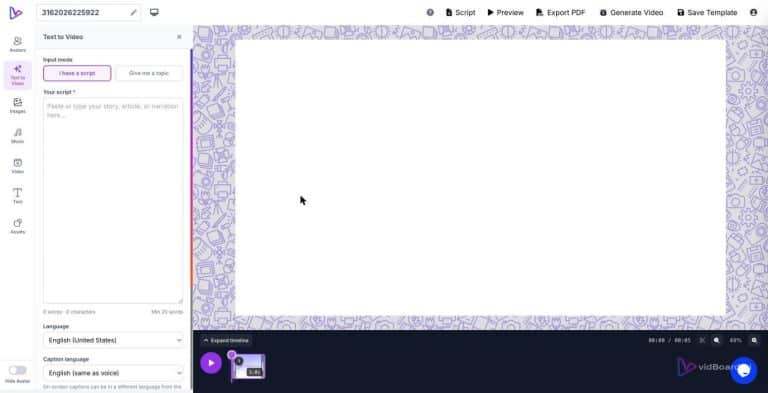
Starting from what you already have — a document, a deck, a link or a script — is the simplest route to production control. vidBoard’s browser editor turns that route into a daily workflow rather than a rare project, widening who in an organisation can make and own video.