Your documents contain your next hundred videos
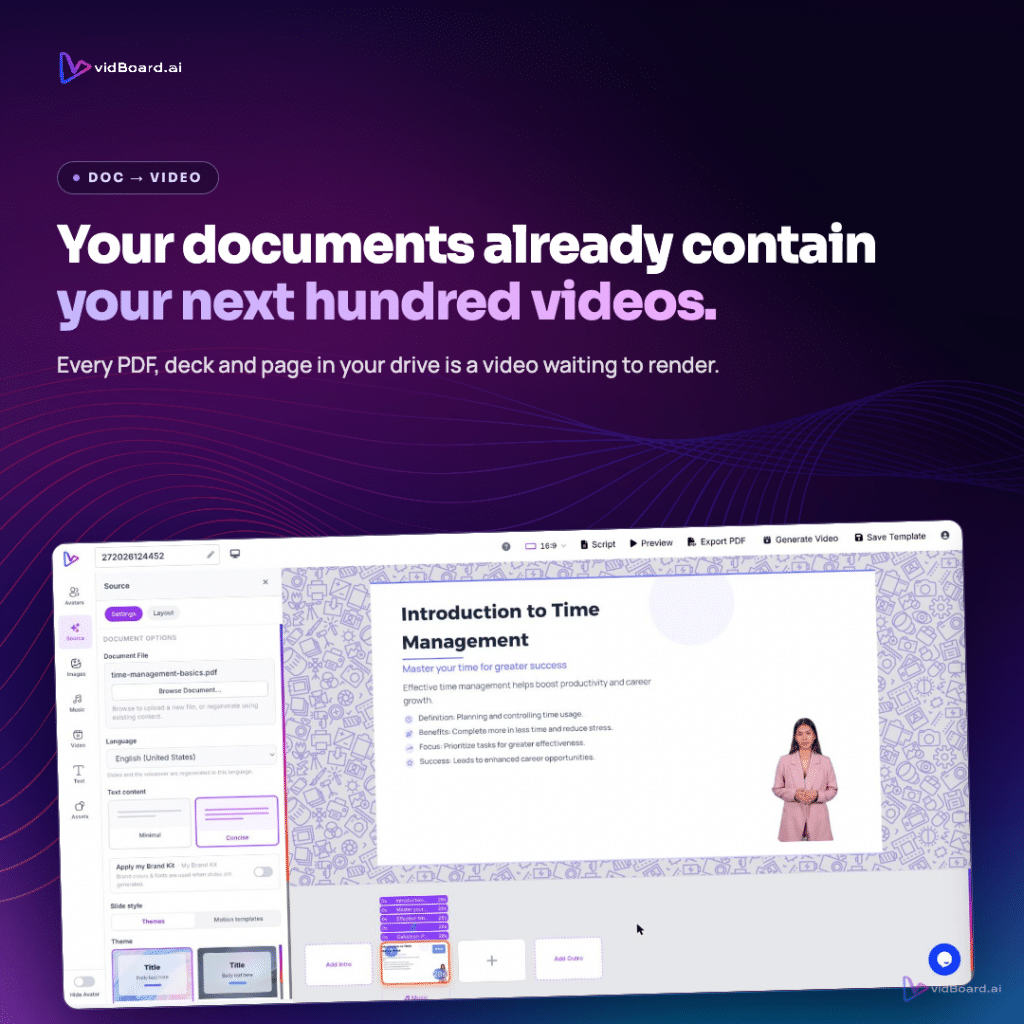
Many organisations already have PDFs, slide decks, SOPs, product one-pagers and blog posts that never became video. Those files contain the facts, structure and key messages a viewer needs; vidBoard turns that source material into an editable, narrated, on‑brand video inside the browser so you can reuse existing work rather than start from scratch.
Why content‑first changes the workflow
vidBoard is built around a simple shift: lead with the input, not a blank timeline. Document → Video, PowerPoint → Video and Link → Video read the material you already have, preserve its real facts, names and numbers, and generate a narrated draft. Because the result lands in a full, editable canvas, the AI output is a first draft you can change: text, images, layout, timing, motion, voice and branding remain editable after generation.
That editing-first design matters for two reasons. First, it reduces the repetitive work of re-authoring existing content into video: the platform writes and speaks narration from the source, and keeps the structure as discrete scenes you can refine. Second, it avoids one-shot outputs that lock you into a single version: per‑slide regenerate lets you replace an individual scene without rebuilding the whole project, and Brand Kit applies colours, fonts and logos automatically to generated projects so brand consistency is not a manual finishing step.
How to turn a content backlog into produced video
The practical conversion path is straightforward and built to scale. Start with a file, a deck or a link: upload a PDF, Word or PowerPoint, paste a URL, or drop in a script. vidBoard parses the source, splits it into scenes, writes narration and pairs visuals with each scene. From there you use an editor that behaves like a slide canvas with per‑object timing: drag, resize, style text, control entrance and exit animations, and set continuous motion or scene transitions.
- Template coverage: ~129 designs (motion templates and imported presentation layouts) are available in landscape, portrait and square so one project can produce variant outputs for different channels without recutting the content.
- Voice and localisation: multi‑language AI voiceover, voice cloning, upload‑your‑own recorded voiceover, subtitles in roughly 99 languages, caption translation and AI dubbing let the same source material serve multiple languages and formats.
- Media and finishing: a built‑in stock search, music library, background removal and a personal media library mean you can swap imagery and audio without leaving the browser, then export as an MP4 or publish directly to YouTube.
Because the generated project is editable, teams can treat it as a master: refine wording, adjust timing, swap visuals, then export a landscape lesson, a vertical promo and a square social clip from the same project. Projects, folders and a central dashboard keep multiple outputs organised as a single production pipeline rather than a set of one‑off videos.
Where scale and operational gains come from
Converting written assets into video reduces the common frictions that prevent organisations from producing video at volume. The platform removes the need to rebuild scripts from scratch by generating narration from source documents and links. It gives options for delivery without a camera: AI avatars, cloned voices, uploaded audio or faceless visual formats. And it removes localisation as a barrier: editable transcripts, subtitle translation and AI dubbing let teams reuse the same project across regions.
That combination changes how organisations can work with their existing content. A manual backlog of reports, decks and course notes becomes a pipeline for repeatable production: generate a draft, apply Brand Kit and templates, make targeted edits (or regenerate a single slide), then export and publish. The free standalone tools (audio and video trim/join, thumbnail maker, image compressor and background remover) handle quick jobs without opening the full editor, providing low‑friction entry points into the same workflow.
In plain terms: documents, presentations, links and scripts are not waiting to be rewritten for video; they are the source material for it. vidBoard turns those existing assets into editable, multilingual and publish‑ready videos so organisations can scale from one converted asset to many, keeping control over brand, voice and editability every step of the way.