Your documents already contain your next hundred videos
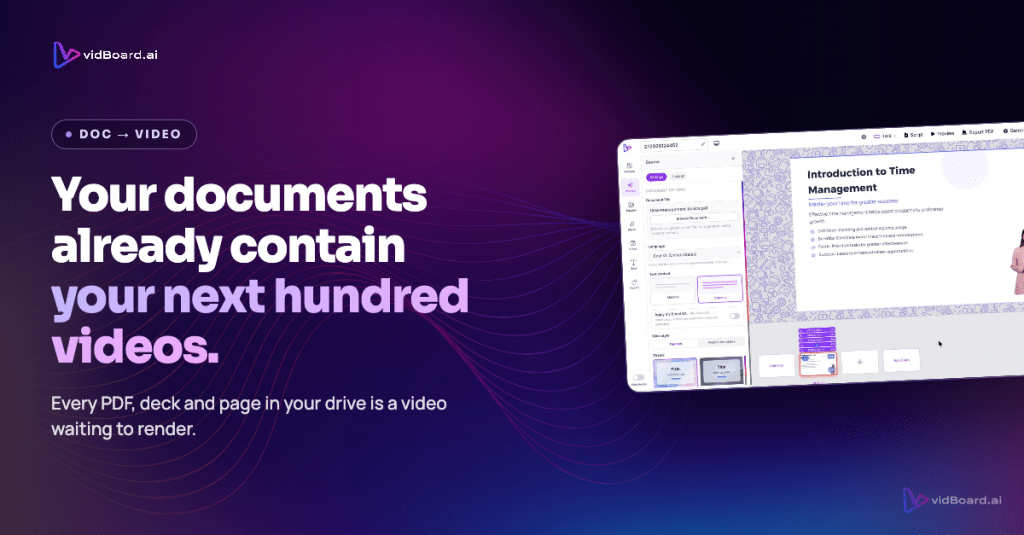
Open the shared drive where your organisation keeps product specs, training decks and customer playbooks and you will find the raw material for dozens of videos: slide decks with speaker notes, PDF guides that explain features, blog posts that outline customer problems, and internal one-pagers packed with domain knowledge. Those files are already the message—what they lack is a simple, repeatable path from document to a finished, editable video that can be published in landscape, portrait and square.
Why documents are the overlooked source of video
Teams accumulate written work by the crate: proposals, reports, SOPs, marketing briefs, and corporate decks. Creating a video from any one of those assets traditionally means booking a shoot, writing a fresh script, hiring someone to edit, or handing the job to an agency. That process imposes friction—time, cost and coordination—which turns practical content into archive material instead of distribution-ready media.
But the content itself is already there. The facts, structure and narrative exist in documents and slides. Converting that existing material directly into video removes the main barriers: you do not need to re-create the information, you do not have to reassemble the narrative, and you avoid a full production cycle. The work that remains is editing, styling and tailoring for channels—tasks that product design and automation can handle reliably.
How vidBoard converts a backlog into a video library
vidBoard starts with inputs you already have: a document, a PowerPoint, a web link, a script or just an idea. The product reads and structures that content into scenes, writes and speaks the narration when needed, and places visuals on an editable canvas. This content-first approach is the practical advantage: the starting point is not a blank timeline but a concrete source file.
- Document → Video, PowerPoint → Video, Link → Video: Upload a PDF, a .pptx or paste a URL and vidBoard parses the content into slides or scenes, keeping real facts, names and numbers intact rather than inventing details.
- Editable by design: Every generated element stays editable. Text, images, layout, timing, motion and voice can be changed on the canvas; you can regenerate a single slide if one piece needs fresh thinking without rebuilding the whole project.
- Brand Kit and templates: Apply organisation colours, fonts and logo automatically so every generated video follows brand rules. A template library of roughly 129 designs means you can standardise production while varying the content.
- Language and accessibility: Subtitles and caption workflows support roughly 99 languages, with translation and AI dubbing available when you need localisation rather than a reshoot.
- Three orientations and direct publish: One project can output landscape, portrait and square variants, and finished videos can be exported as MP4 or published to YouTube from the platform.
These capabilities remove the most time-consuming parts of turning a backlog into visible content: conversion, branding, and channel-formatting. What remains is review and small edits—work that teams are equipped to do themselves, and that stays within a single browser-based workflow rather than across multiple tools or vendors.
The practical scale case: edit, localise, publish
Think of the process as a flywheel. A single source asset—a product spec, a policy document or a long-form article—becomes an editable master video. From that master you produce three channel-ready variants, add captions for accessibility, translate or dub for regional audiences, and publish. When you need to change a fact or update a slide, you edit one scene and regenerate that piece. That eliminates the traditional reshoot or full re-edit.
Two features make scale realistic rather than theoretical. First, the platform’s document and slide ingestion preserves the original content structure—text and figures do not get lost in translation. Second, Brand Kit applies your identity automatically across generated projects, turning consistent output into a production rule instead of a manual task. Together they convert individual conversions into a repeatable pipeline.
For organisations with training catalogues, knowledge bases or archives of marketing content, that pipeline changes economics: instead of treating videos as bespoke productions, you treat them as a distribution format for existing intellectual property. The value is not that you make more content for the sake of making content; it is that you unlock visibility, reuse and localisation for work that was already done.
Start with the content you already have. Use a tool that respects that content, keeps everything editable, and applies your brand and localisation rules automatically. That is the content-first strategy vidBoard is built around: your documents already contain the next hundred videos—vidBoard gives them a practical path into production.