

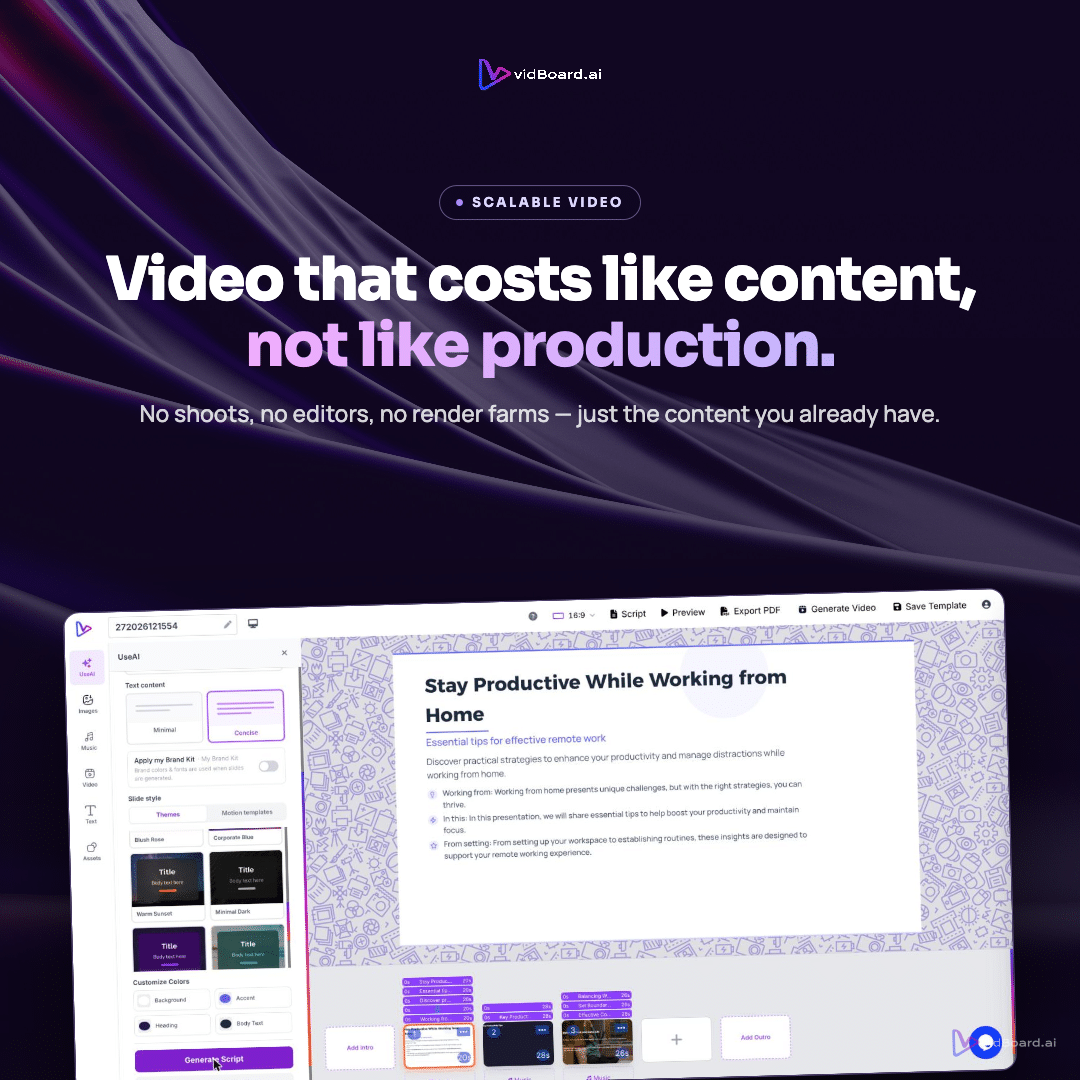
Upload a PDF or paste a link and vidBoard reads the source, keeps the real facts and numbers, splits the content into scenes, writes narration and selects matching visuals — all as an editable project in the browser. That concrete automation is the starting point for marketing and learning teams that must increase video output without hiring more editors.
Where time is freed: the tasks vidBoard automates
Scaling video production usually means repeating the same manual tasks: turn text into narration, source imagery, apply brand rules, lay out each slide, add captions, and finally export and publish. vidBoard removes or reduces those tasks at source so a small editing team can supervise many more projects.
- Content ingestion and structure: Document → Video, PowerPoint → Video and Link → Video take existing source material (PDF, Word, .ppt/.pptx, webpages) and produce a structured draft. vidBoard reads the actual document and preserves facts, names and numbers rather than inventing content, so the heavy lift of structuring and fact transfer is automatic.
- Narration and voice work: The editor can choose AI voiceover, upload a human read, or use voice cloning. That eliminates scheduling voice sessions and basic audio editing for a large volume of videos. Avatars and digital twins are available where a presenter helps, and non-voice options support faceless explainer formats.
- Design and templates: A library of ~129 designs (motion templates and imported presentation layouts) and AI-fillable templates means the visual layout step is largely pre-solved. Templates come in landscape, portrait and square, so one project produces three orientation-ready outputs without rebuilding layouts from scratch.
- Assets and visuals: Built-in stock search across Pexels, Pixabay, Unsplash, Freepik, Flaticon and Tenor/Giphy plus Google image search and the VidAI panel reduce time spent sourcing images, icons, GIFs and background video. A personal media library stores approved brand assets for reuse.
- Iterative fixes, not full rebuilds: Per-slide regenerate lets editors replace or rework a single slide while keeping the rest of the project intact. That turns many editing tasks into a fast, surgical edit instead of a full project redo.
- Captions and localisation: AI Subtitles with editable transcript, ~99-language transcription and caption translation, plus AI dubbing, remove manual captioning and reduce localisation cycles.
- Publishing and export: Direct publish to YouTube and MP4 export cut the last-mile friction that often stalls volume workflows.
How to reorganise roles so headcount doesn’t have to grow
When these repeatable tasks are automated, teams can shift responsibilities and increase effective capacity without adding editors. Here are three practical role adjustments that work with vidBoard’s capabilities.
- Content stewards replace builders. Subject-matter experts or writers prepare the source — a doc, deck or link — and validate facts. vidBoard converts that source into a narrated draft, so editors spend their time improving narrative flow and visuals rather than reconstructing content.
- Template librarians manage brand and reuse. One person sets up the Brand Kit (colours, fonts, logo) and curates the template library per campaign. Because Brand Kit is applied automatically to generated projects, templates enforce consistency at scale instead of requiring slide-by-slide manual fixes.
- Micro-editors focus on exceptions. Editors become quality controllers: they tweak regenerated slides, approve transcripts, and spot-check dubbing or avatar reads. Per-slide regeneration means most fixes are small and fast; the team can process many more projects per week than when each edit required building from scratch.
A practical, repeatable workflow for marketing and learning teams
Bring the steps together into a repeatable pipeline to turn a content backlog into a video library without proportionally growing staff:
- Step 1 — Centralise source material: Collect documents, decks and article links into a shared folder. These are the input assets vidBoard uses to generate drafts.
- Step 2 — Generate drafts: Use Document → Video, PowerPoint → Video or Link → Video to create an editable project. The AI writes narration, applies a selected template and fills visuals from stock or the media library.
- Step 3 — Apply brand rules: Ensure the Brand Kit is set for the client or campaign so each generated project inherits the correct colours, fonts and logos automatically.
- Step 4 — Fast review cycle: Review the editable transcript, adjust narration or swap an image. Use per-slide regenerate where a single slide needs a different treatment rather than rebuilding the whole video.
- Step 5 — Localise and publish: Add AI Subtitles, translate captions or run AI dubbing where needed. Export MP4 or publish directly to YouTube for distribution. Create vertical and square variants from the same project instead of remaking assets for every channel.
Standalone tools such as the Audio Suite and Video Suite let teams finish small production tasks (trim, merge, mix) without opening the full editor, reducing handoffs and preserving editorial bandwidth.
All of this keeps the creative control in human hands — vidBoard treats AI output as a first draft that remains fully editable — while reducing the repetitive, labor-intensive steps that typically force teams to hire more editors. For marketing and learning teams, that combination increases throughput, enforces brand consistency, and shortens time-to-publish without a proportional increase in editing headcount.