

Set up a Brand Kit, create three per-client templates—a product explainer, a short social promo and a monthly stakeholder update—and use them for every piece of work you deliver. Each template should be available in landscape, portrait and square, carry matched motion and music, and be AI-fillable from the client’s existing files. That simple, repeatable structure becomes an agency operating system: fewer bespoke builds, faster delivery, and predictable quality across channels.
Lock the brand rules, not the output
Consistency is achieved by enforcing a small set of constraints, not by producing identical clips. vidBoard’s Brand Kit stores a client’s colours, fonts and logo once and applies those assets automatically to any generated project, including videos created from documents, links and presentations. Using a Brand Kit ensures that every project generated from source material arrives with the same visual rules applied, removing a manual finishing step from the production process.
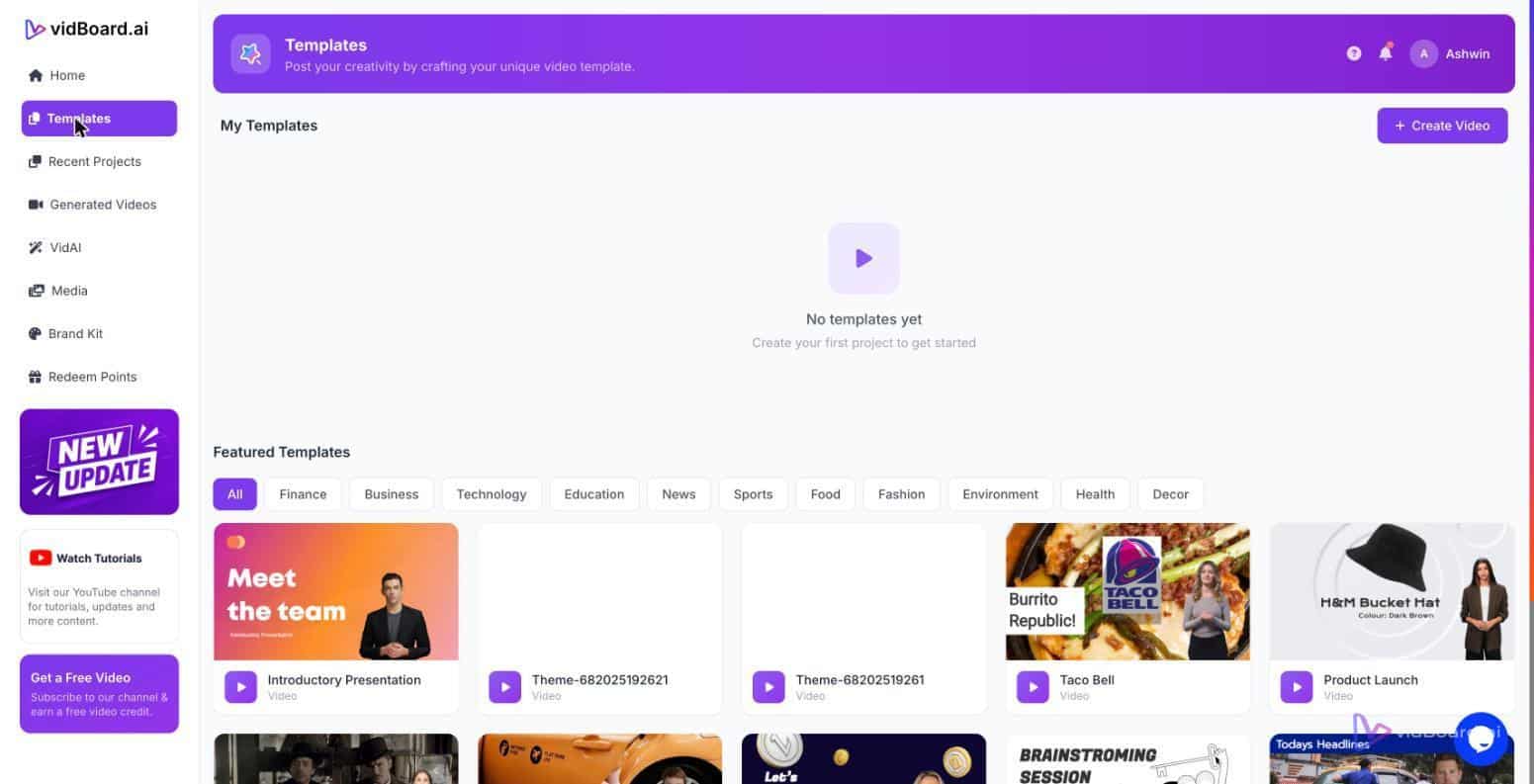
Templates should be designed around those rules so the output respects brand identity from the moment it is created. vidBoard’s template library (~129 designs across three orientations) and AI fill capabilities let you start from a brand-aware draft rather than a blank timeline. The draft is editable in the browser: text, visuals, motion and timing remain adjustable. That keeps the agency in control of quality while reducing the repetitive decisions that eat time on every project.
Make templates the backbone of a predictable workflow
An agency operating system needs a small, well-defined catalogue of templates that match the deliverables you sell on retainer. For many clients, three core templates cover recurring needs: an internal update template for stakeholder briefings, a 60–90 second product explainer for owned channels, and a 15–30 second vertical promo for social. Create each template once, and publish three orientations from the same project: landscape for YouTube, portrait for short-form vertical channels, and square for social feeds. vidBoard’s layouts adapt per orientation rather than cropping, which preserves layout intent across formats.
Design templates to be AI-friendly. Use clear content placeholders—headline, subhead, key stat, CTA—attach a motion treatment and matched music, and mark where voiceover or an avatar may appear. When you receive a client asset—a product page, a blog post or a PowerPoint—use Document → Video, Link → Video or PowerPoint → Video to generate a draft directly into the chosen template. The AI fills text and visuals, applies the Brand Kit, and delivers an editable canvas ready for a targeted review. That workflow reduces the number of manual design decisions required to reach a finished piece.
How templates improve margins and reduce rework
Templates reduce repetitive work in three practical ways. First, they cut design time by pre-baking motion, timing and layout decisions so editors spend minutes adjusting rather than hours building from scratch. Second, they lower revision friction: because the result remains fully editable, a client change to a single slide or line of script is a quick replace or per-slide regenerate, not a full rebuild. Third, templates enable scale without proportionally increasing headcount: the same rules and assets produce many videos across clients and channels.
These efficiencies make resourcing and pricing more predictable. When an agency standardises on template-based delivery and documents the review checkpoints, it can estimate the typical effort for each deliverable with greater confidence. Crucially, vidBoard treats AI output as a first draft rather than a locked product: text, images, timing, motion and voice remain editable so you keep the final say and quality gate inside the agency while benefiting from automated first drafts.
Operational tips for adoption
- Standardise a template catalogue per client: three to five templates will cover common deliverables for many retainers.
- Produce three orientations by default: one project, three outputs reduces duplicate work and preserves brand across channels.
- Apply the Brand Kit automatically: ensure every generated project uses stored colours, fonts and logo to eliminate manual finishing tasks.
- Keep the draft editable: prefer targeted edits and per-slide regenerate over rebuilding the whole video, so you retain control while moving faster.
- Document review checkpoints: be explicit about which edits are in-scope and which are additional change requests to keep template work profitable.
When templates and Brand Kits become the operating system, client content—decks, documents, web pages and scripts—turns into a continuous source of video rather than a one-off project. vidBoard’s combination of AI-fillable templates, adaptive orientations, Brand Kit enforcement and editable outputs makes it practical to convert existing knowledge into a steady stream of on-brand video with less bespoke effort and more predictable outcomes.